
Semrush Setup Guide Lite In Dev
Follow our setup guide to connect Semrush to Fivetran.
Prerequisites
To connect Semrush to Fivetran, you need a Semrush account.
Setup instructions
Find API key
Log in to your Semrush account.
Upgrade to any Paid subscription plan.
click on profile > Subscripition info.
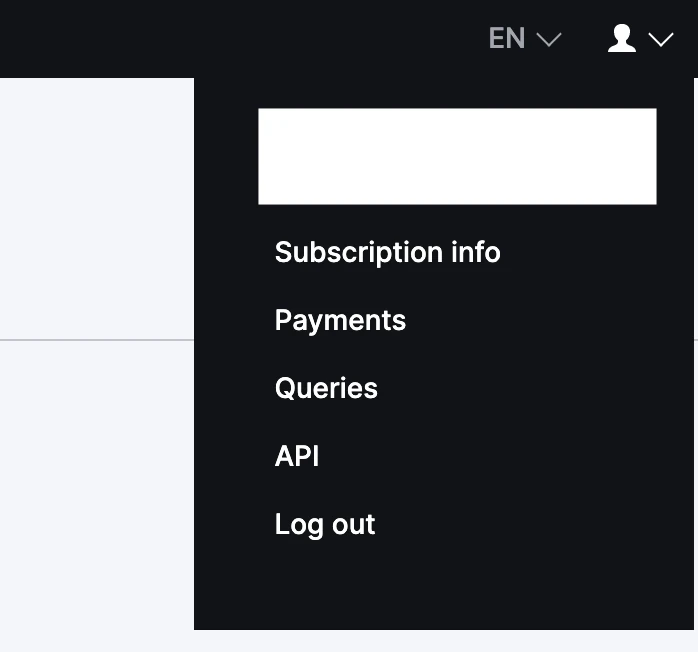
Click on API Units > API Key.
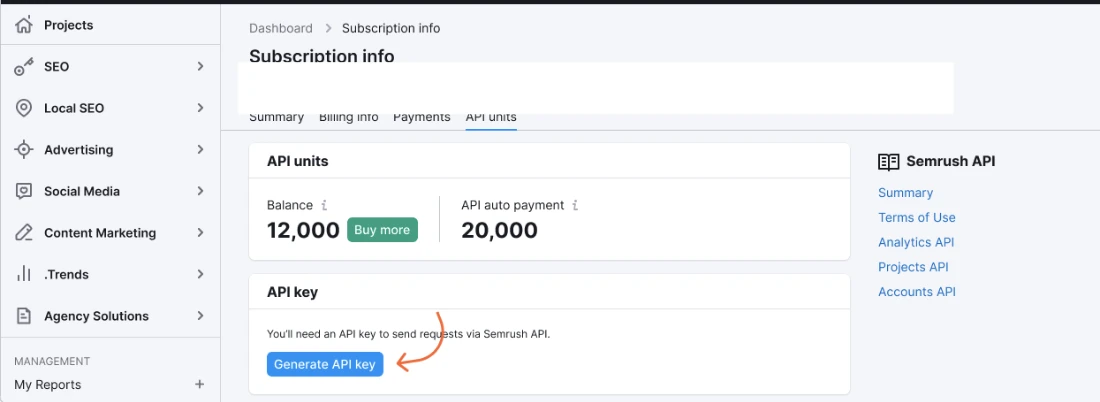
Click on Generate API Key.
Make a note of the API Key. You will need to configure Fivetran.
Finish Fivetran configuration
In the connection setup form, enter your chosen Destination schema name.
Enter the API Key you found in Step 1.
Click Save & Test. Fivetran will take it from here and sync your Semrush data.