
Pipedrive Setup Guide In Dev
Follow our setup guide to connect Pipedrive to Fivetran.
Prerequisites
To connect Pipedrive to Fivetran, you need a Pipedrive account.
Setup instructions
Find subdomain
Find your subdomain in your Pipedrive URL and make a note of it. For example, if your Pipedrive URL is fivetran.pipedrive.com, then your subdomain is fivetran.
Find API token
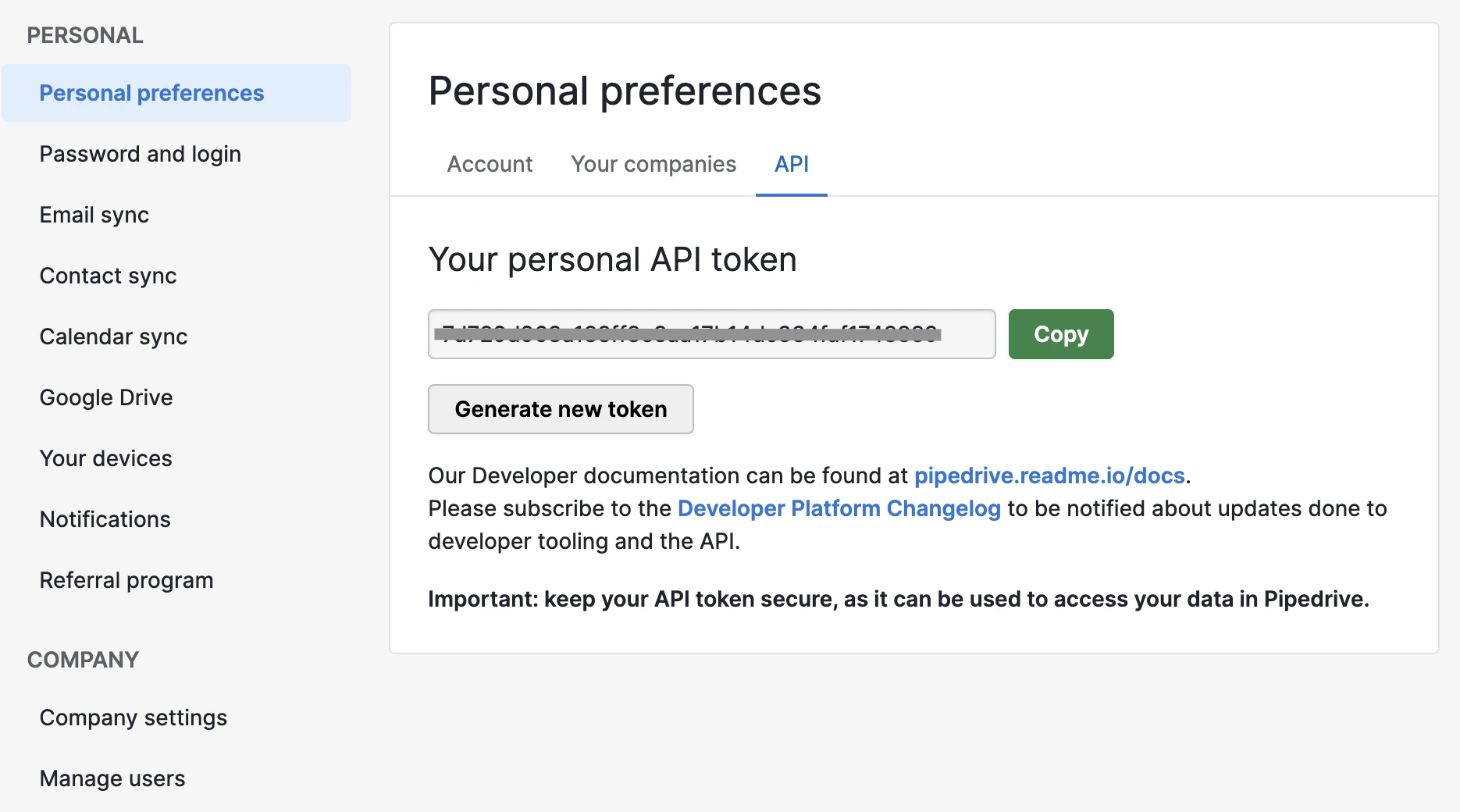
In your Pipedrive account, go to Personal preferences > API.
Make a note of your personal API token. You will need it to configure Fivetran.
Update user permissions
Log in to your Pipedrive account.
In the top right corner, click your profile picture. Select Company settings > Manage users.
Grant the current user with the Deals admin permission set.
Save the changes.
Finish Fivetran configuration
- In the connection setup form, enter your Destination schema name.
- Enter the subdomain you found.
- Enter the API Token you found.
- Click Save & Test. Fivetran will take it from here and sync your Pipedrive data.