
Totango
This page describes how to use Activations with Totango.
Getting Started
In this guide, we will show you how to connect Totango to Activations and create your first sync.
Prerequisites
- Have your Fivetran account ready. If you need one, create a Free Trial account now.
- Have your Totango account ready.
- Have the proper credentials to access to your data source. See our docs for each supported data source for further information:
1. Collect your Totango Credentials
Activations requires your Totango API key and Service ID to send data. Before we can connect Activations to Totango, we need to first collect the two credentials. An additional parameter, Server Region, is optional
API Key
- Click on your User Profile in Totango (it will be in the top right with your initials)
- Click on the Integrations tab in the pop up tab
- Copy the key out of the API Token Key box
Service Id:
- Click on your User Profile in Totango (it will be in the top right with your initials)
- At the bottom of the dropdown copy the Service Id which will be formatted in three parts SP-<Service Id>-<Instance>. For example: SP-25001-01
- Copy the Service Id portion only into the Activations connection (for example, 25001 rather than the full SP-25001-01)
For additional information on finding Totango credentials you can find instructions in the Totango documentation.
2. Connect Totango
- Once you are in Activations, navigate to Destinations
- Click the New Destination button
- Select Totango in the list
- Paste your API Key into the API Token field
- Paste your Service Id in the Service Id field
- Optionally name your new connection and add a Server Region then click Connect
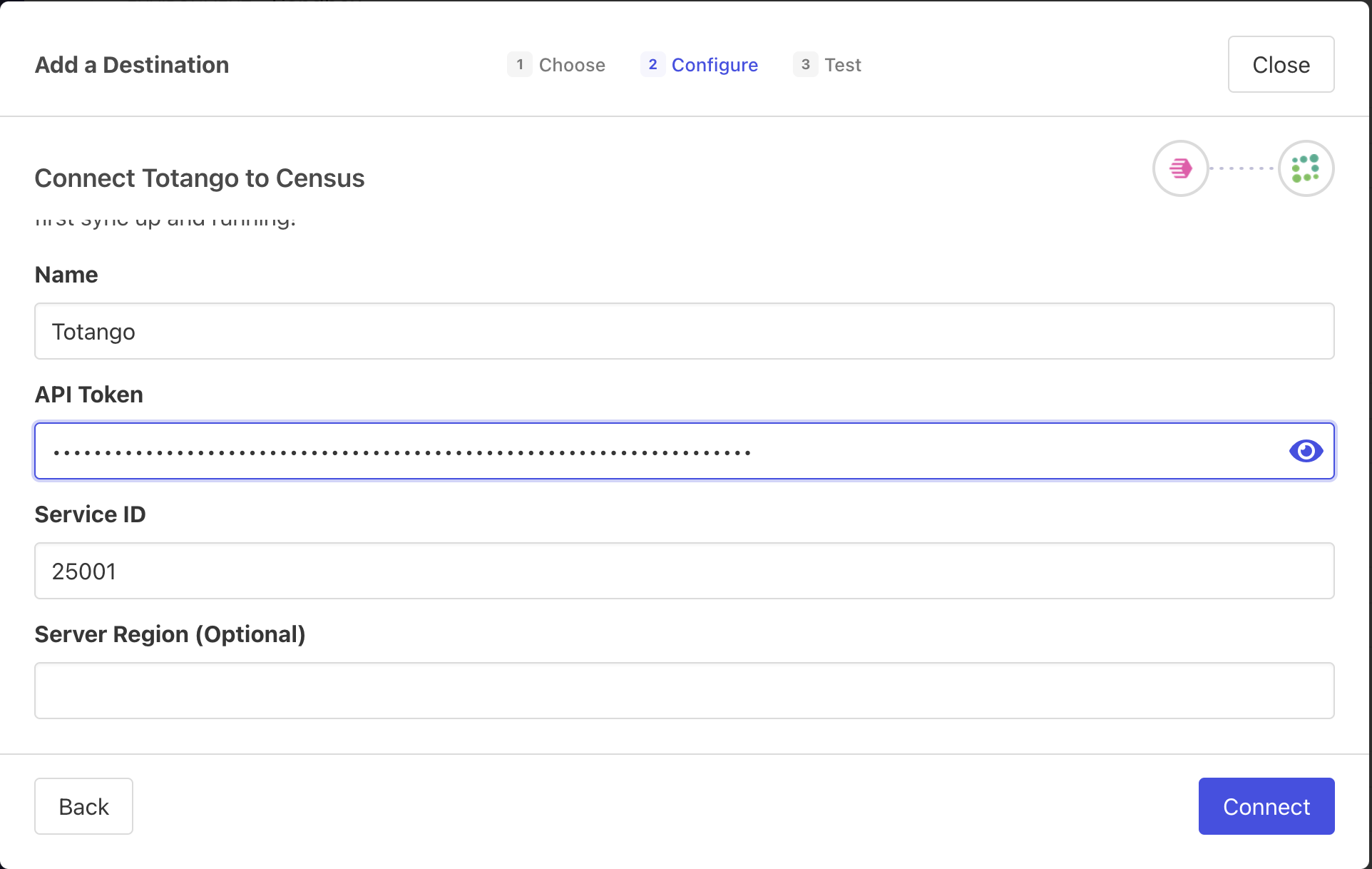
Totango Connection Example
Supported Objects
| Object Name | Supported? | Identifiers |
|---|---|---|
| Account | ✅ | Account ID |
| User | ✅ | User ID |
Supported Sync Behaviors
Learn more about all of our sync behaviors in our Syncs documentation.
| Behaviors | Supported? | Objects |
|---|---|---|
| Update or Create | ✅ | All |
Contact us if you want Activations to support more Sync Behaviors for Totango