
ChurnZero
Learn how to use Activations to sync your Data Warehouse to ChurnZero.
Getting Started
- Navigate to the Destinations page in Activations and click New Destination.
- Select ChurnZero from the menu.
- Enter your domain, and App Key. You can find all of these in the ChurnZero app under the Admin > Application Keys > New App Key.
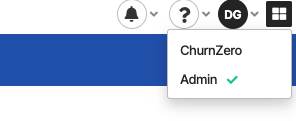
Switch to Admin view
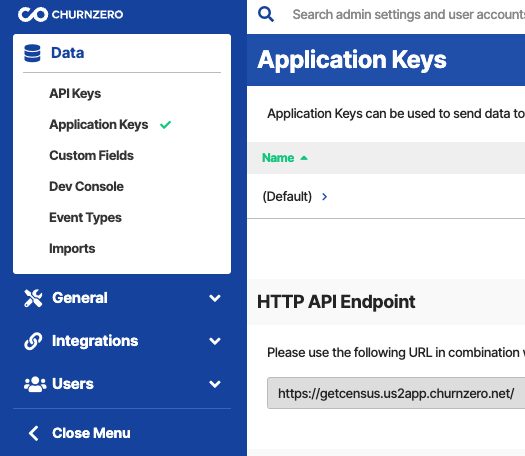
Select Application Keys
Custom Fields in ChurnZero
Custom fields defined in ChurnZero can be added to the sync mapping by manually entering the CZ API Name in the destination field mapping
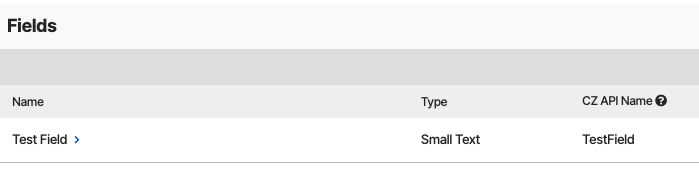
ChurnZero Custom Field

Sync Mapping
Supported Objects and Sync Behaviors
| Object Name | Supported? | Sync Keys | Behaviors |
|---|---|---|---|
| Account | ✅ | AccountExternalId | Update or Create |
| Contact | ✅ | ContactExternalId | Update or Create |
| Event | ✅ | Any unique identifier | Send |
Learn more about all of our sync behaviors in our Syncs documentation.
Contact Support if you want Activations to support more ChurnZero objects and/or behaviors.