
Adobe Target
This page describes how to use Activations with Adobe Target.
Getting Started
- Navigate to the Destinations page in Activations and click New Destination.
- Select Adobe Target from the menu.
- Open the Target app in another window. Navigate to Administration > Implementation and copy your Client Code to clipboard.
- Return to Activations and paste it under Client ID.
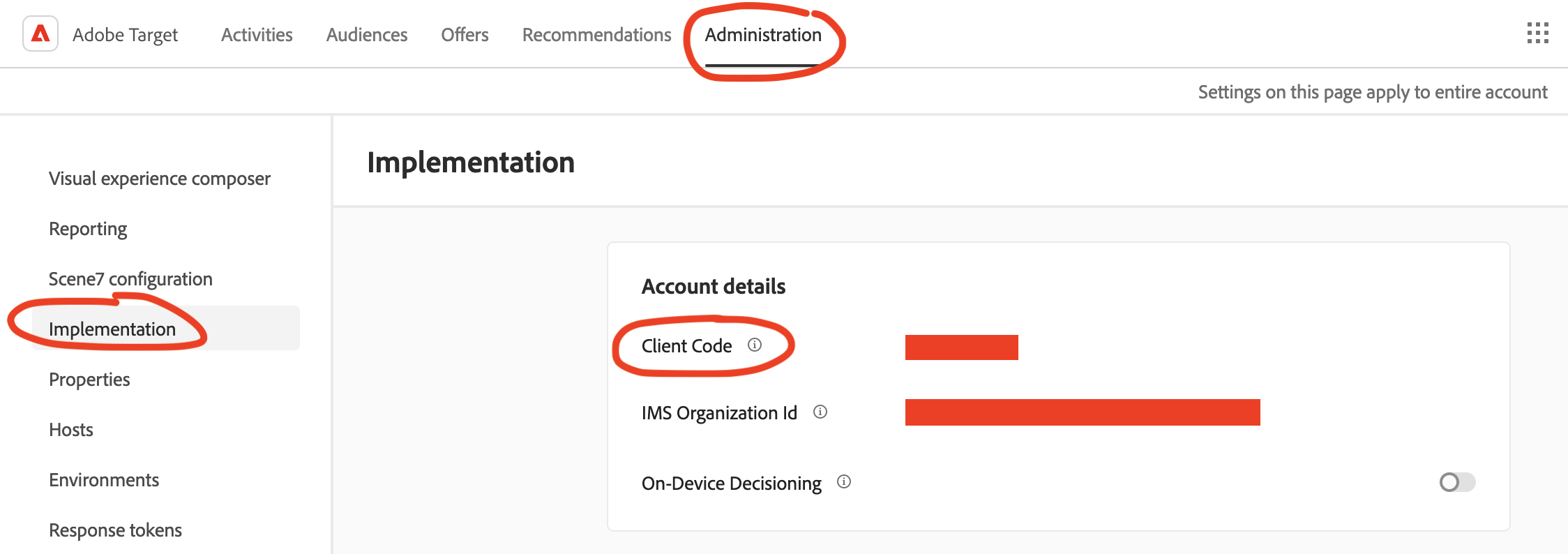
Get your Client ID from the Adobe Target app.
Supported Objects and Behaviors
| Object Name | Supported? | Sync Keys | Behaviors |
|---|---|---|---|
| Profile | ✅ | Target ID, Third Party ID | Update or Create |
Contact Support if you want Activations to support more Adobe Target objects and/or behaviors.