
Activation Sources
All Activation Sources are connections to a data location, whether that's a database, warehouse, data lake, or a simple CSV or spreadsheet. Setting up a new activation source is the first step to configuring activations. Once configured, your activations can pull directly from tables, or you can use datasets or Audience Hub segments to create specific subsets of the data you want to activate.
️ Sync Engines for Data Warehouses
When connecting a data warehouse source, Activations offers two methods of connecting and keeping track of what's been synced (a.k.a. "state tracking"). We call these Sync Engines. When connecting a data warehouse for the first time, we'll ask you to select either Basic or Advanced Sync Engine.
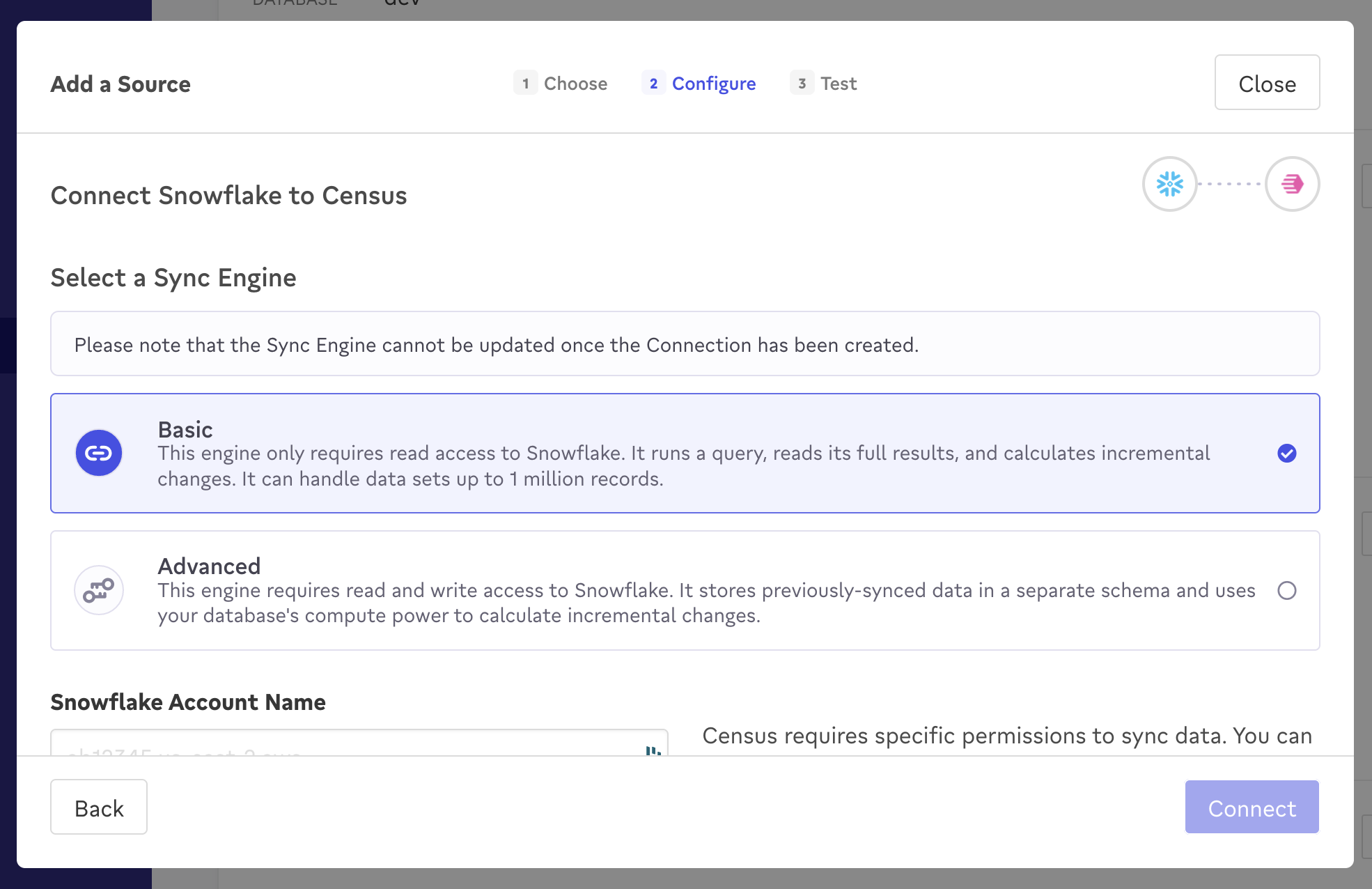
Select your preferred Sync Engine when connecting a data warehouse.
While your experience of the Activations product will be identical either way, there are some important differences between these two options:
| Basic Sync Engine | Advanced Sync Engine | |
|---|---|---|
| State tracking location | Activations infrastructure | Your data warehouse |
| Sync performance | Slower | Faster |
| Ease of setup | Very easy | Slightly more involved |
| Warehouse permissions | Read-only access | Read/write access |
| Ability to switch | Ability to upgrade to advanced (coming soon) | Not possible to downgrade to basic |
If you have any questions about which Sync Engine is right for you, please reach out to our support team.
Clouds and Regions
Each activation source is configured with a specific data residency, like normal Fivetran destinations. This determines the cloud and region where each activation sync run takes place. The available cloud, geography, and region options depend on your Fivetran plan. For the full list of supported clouds and regions for each plan, see Fivetran Data Residency.
Legacy Census customers previously configured regions on a per-organization and per-workspace basis. These settings are still visible in some legacy accounts but can no longer be modified, and the cloud region setting on each source takes precedence over them. For more details about organization and workspace region settings, see Legacy Regions and IP Addresses.
Allowed IP Addresses
The selection of a given cloud region also determines which IP addresses are used when connecting to the activation source and any associated activation destinations.
If your data warehouse is protected by a firewall or other IP allowlisting, add Fivetran's IP addresses to the allowlist. See Fivetran's IP Addresses for the full list of IP addresses.
If you're still operating in a legacy Census region, make sure both legacy and future IP addresses are added. See Regions & IP Addresses for more information.
Private Networking
Activation sources can reuse existing Fivetran private networking configurations, including Azure Private Link and AWS PrivateLink. You must first configure private networking in Fivetran before you can use it to set up an activation source.
Data Warehouse Usage
Activations performs automated processes and queries on your data warehouse, even when a sync isn't running. This activity may appear in your internal reporting but is essential to ensure Activations operates efficiently and effectively on your behalf. Activations generally has a very minor impact on data warehouse usage.
These processes and queries include and are not limited to:
- Reading metadata from the warehouse
- Regular health check queries
- Clicking into a Dataset
- Clicking into a Segment
- Adding or removing a filter in a Segment
- Segment size refresh
- Previewing a Dataset