
Google Datastore
This page describes how to use Activations with Google Datastore.
Getting Started
Click New Destination.
Select Google Datastore from the menu.
When prompted, enter the following credentials:
- Project ID Can be found in the Google Cloud Console by clicking the project drop down next to the search bar.
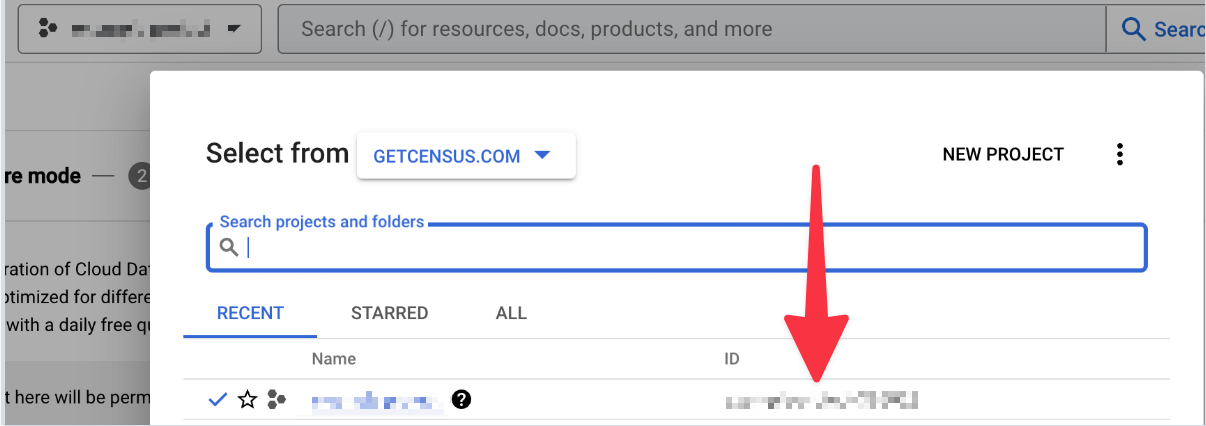
Get your Project ID from the Google Cloud Console
Click
Connect, a Google service account ID will be displayed. Copy this value.Navigate to the Google Cloud IAM Console. Click the
+ GRANT ACCESSbutton. When prompted enter the following information
- New principals Paste the Google service account ID copied in the previous step.
- Select a role Choose the
Cloud Datastore Userrole
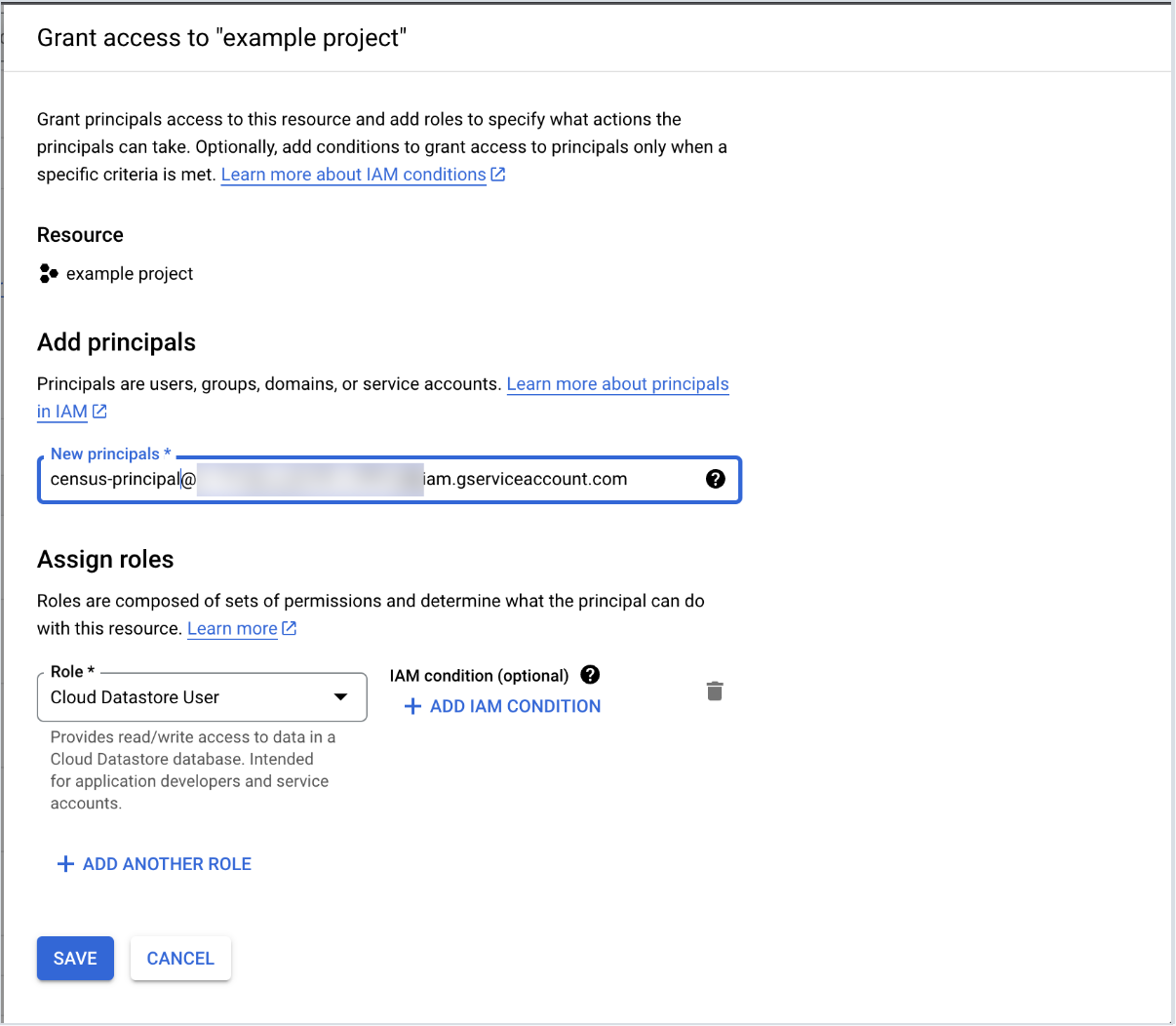
New principals will be the value copied in step 4.
Supported Sync Behaviors
| Behaviors | Supported? |
|---|---|
| Update or Create | ✅ |