
Elasticsearch
This page describes how to configure Elasticsearch as a destination with Activations
Getting Started
In this guide, we will show you how to connect to Activations and create your first sync.
1. Collect your Elasticsearch Credentials
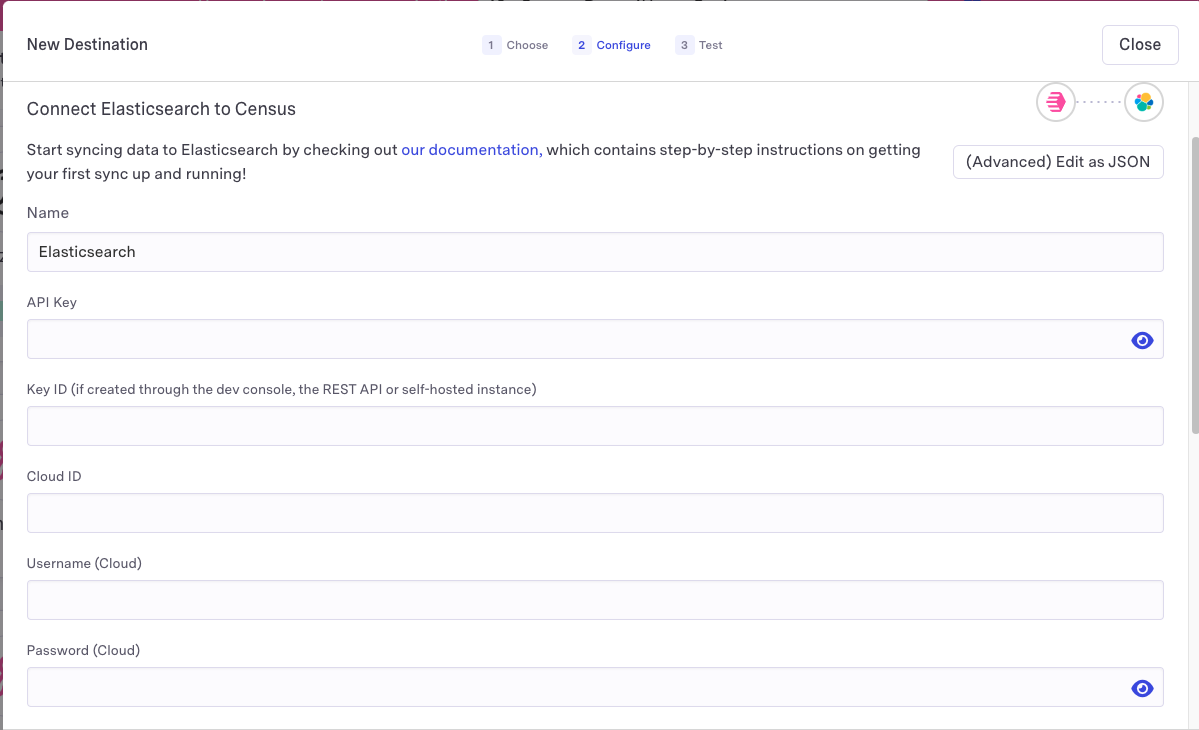
Activations needs the following information to create an Elasticsearch cloud connection:
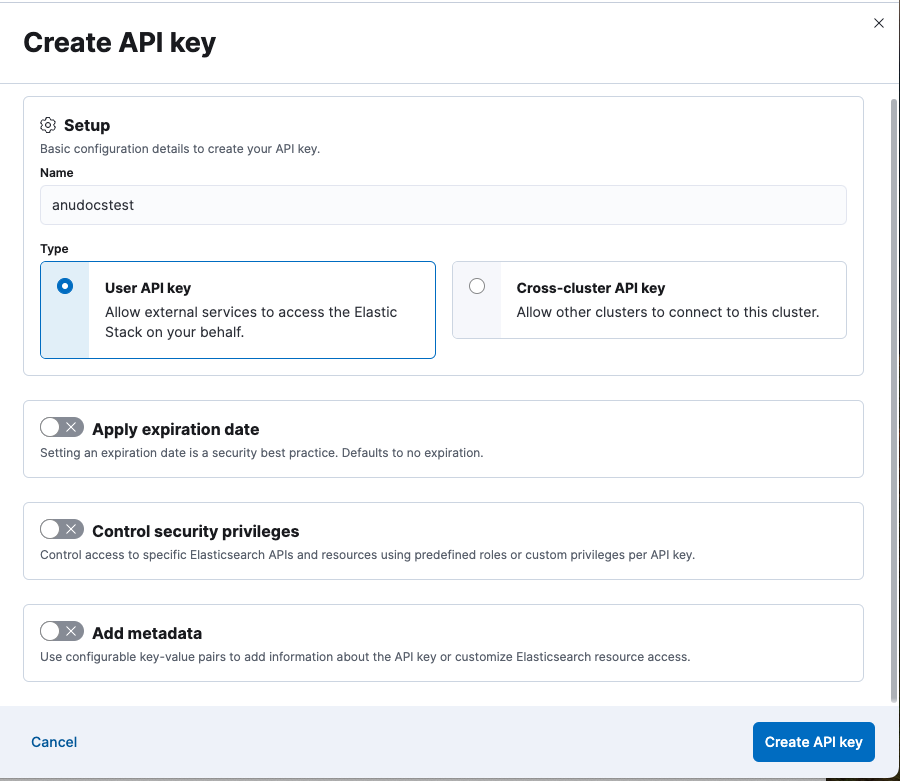
- API Key - instructions to create one can be found here
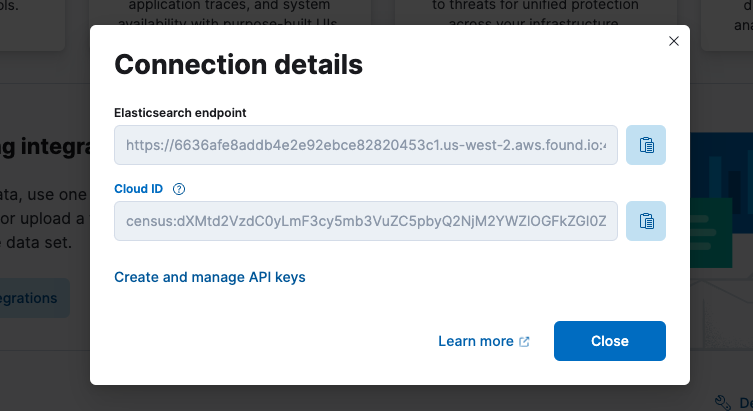
- Cloud ID - this can be found in your Elasticsearch cloud instance by clicking Help -> Connection Details
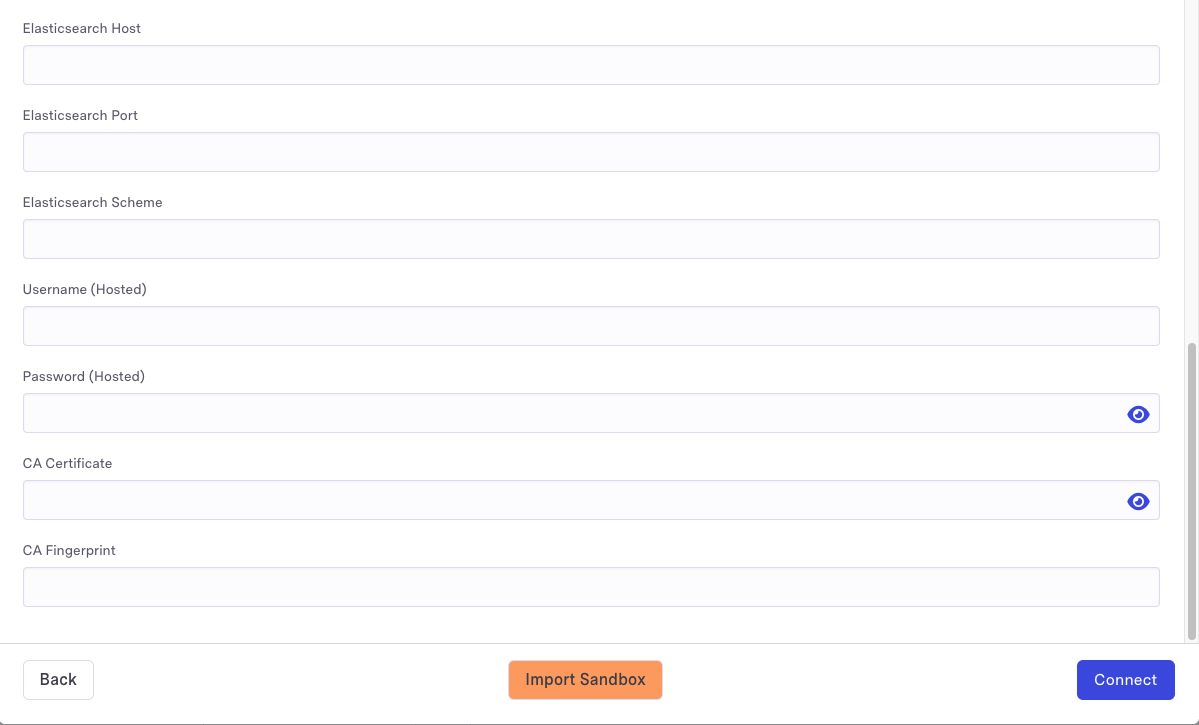
- Elasticsearch Port - default is 443
- Elasticsearch Scheme - default is https
Other authentication options are available:
- Key ID - required if created through the dev console, the REST API or self-hosted instance
- Username (Cloud)
- Password (Cloud)
- Elasticsearch Host
- Username (Hosted)
- Password (Hosted)
- CA Certificate
- CA Fingerprint
2. Connect Elasticsearch in Activations
- In Activations, navigate to Destinations
- Click the New Destination button
- Select Elasticsearch in the dropdown list
- Enter your credentials and click Connect
You're all set!
If you have any questions during setup, or have a use case that is not covered, please contact us via the Support portal.
Supported Objects and Behaviors
Elasticsearch stores data within collections called Models. Your Models in Elasticsearch can be used as objects to sync to from Activations.
| Object Name | Supported? | Sync Keys | Behaviors |
|---|---|---|---|
| Index | ✅ | Document ID | Update or Create |
Contact Support if you want Activations to support more objects for Elasticsearch.