
User Interviews
This page describes how to use Activations with User Interviews.
Getting Started
Navigate to the Destinations page in Activations and click New Destination.
Select User Interviews from the dropdown menu.
Open the User Interviews app in another browser tab, login and navigate to Account Settings > API Keys and copy an API key.
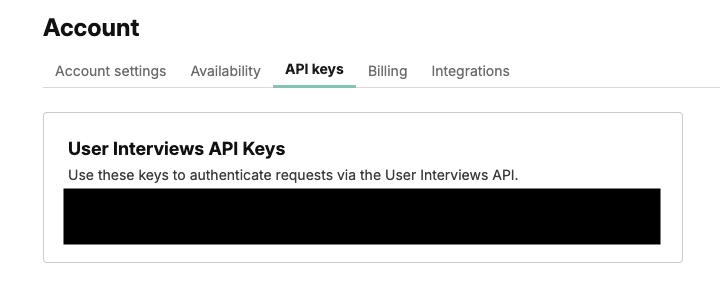
You will see existing API keys here, to generate new keys reach out to User Interviews support.
If you need to generate a new API key follow the steps for obtaining an API key steps here.
Return to Activations and paste it under API Token.
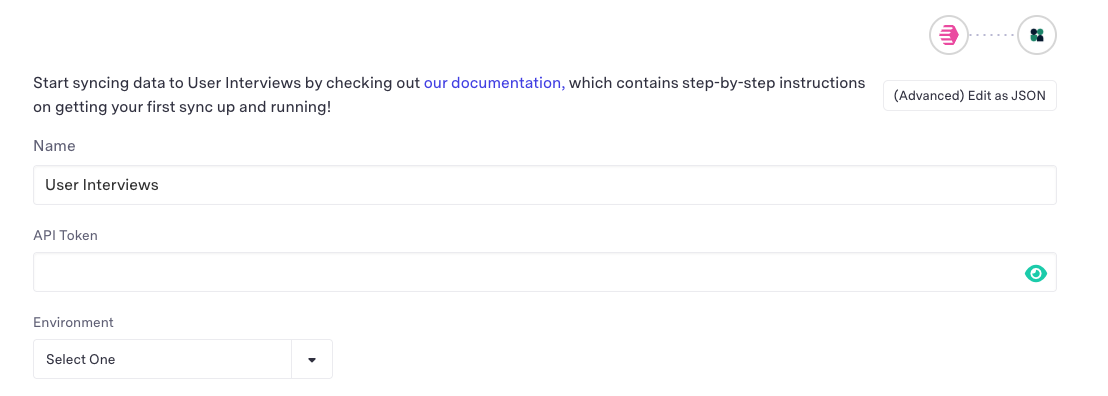
Select your Production or Sandbox Environment.
Click connect and test your connection.
Supported Objects and Behaviors
| Object Name | Supported? | Sync Keys | Behaviors |
|---|---|---|---|
| Participant | ✅ | Update or Create |
Contact Support if you want Activations to support more User Interviews objects and/or behaviors.