
Release Notes
September 2026
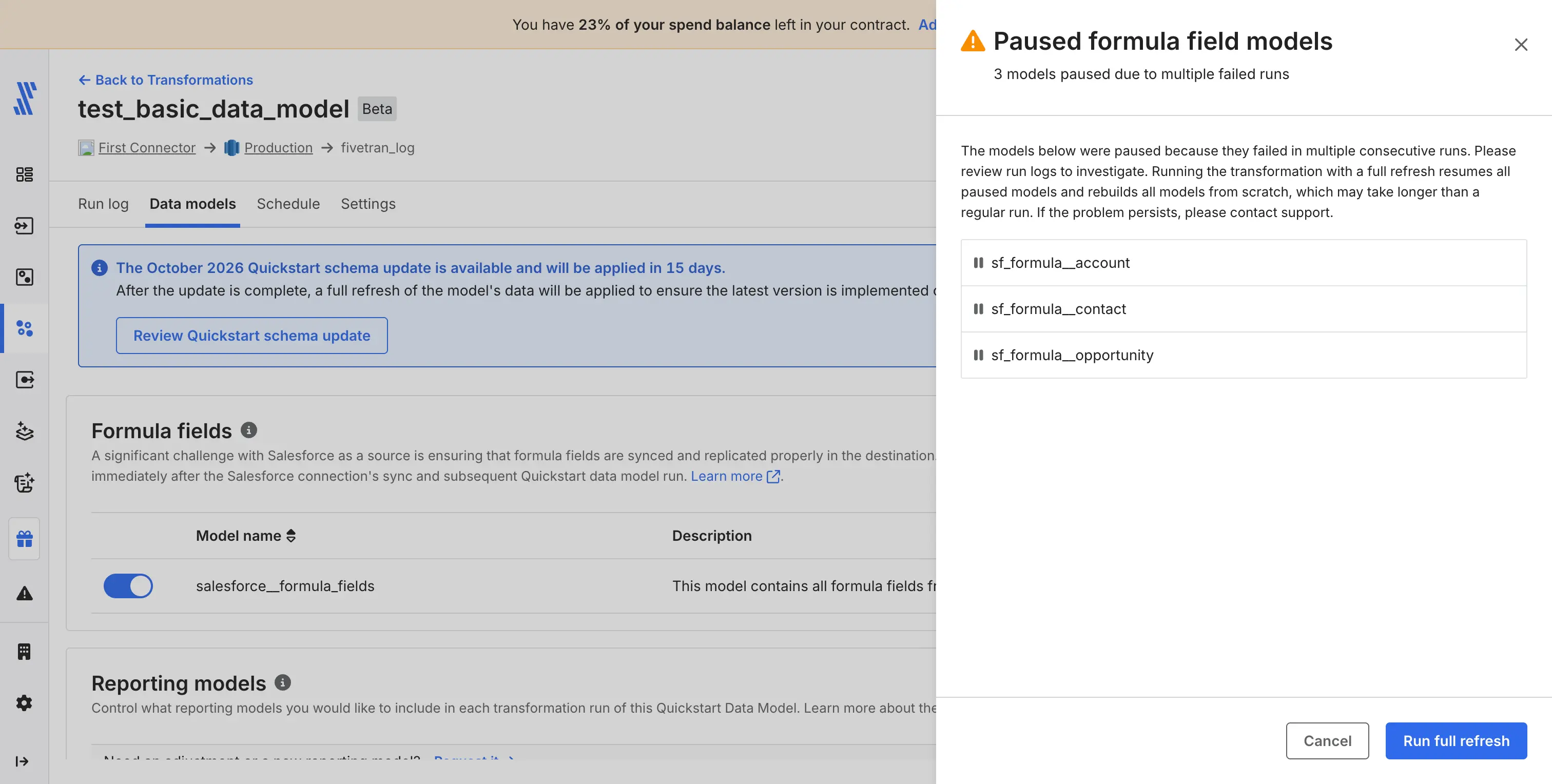
The Data Models tab for Quickstart transformations now shows the status of dynamic models, Salesforce formula field models and Microsoft Dynamics 365 CRM models. Previously, these models always appeared as Active, even when Fivetran had automatically paused them after repeated failures.
The Status column now shows how many Quickstart data models are paused. Select the count to open a drawer that lists the paused models. Paused models stop updating, so views that depend on them may show outdated data.
To resume paused models, select Run full refresh in the drawer. The full refresh reruns the models, and they resume if they succeed.
You can now use Quickstart data models with Managed Data Lake Service destinations. This functionality is in Beta.
May 2026
When you set up a connection for a connector that supports multi-source Quickstart packages, such as Ad Reporting, Fivetran now prompts you to configure a Quickstart transformation automatically after the connection tests pass. You can choose to join an existing multi-source transformation or create a new one — in both cases, only multi-source transformations are available for these connector types. For more information, see the Quickstart management page.
We have updated the Quickstart formula fields logic to use the salesforce_formula_utils dbt package, which also enables formula fields for Hybrid Deployment destinations. Customers now have the option to run all formula fields or none. Formula field models that fail with subsequent errors are automatically paused. Customers can unpause them by triggering a full refresh, which will re-enable all formula fields.
March 2026
Quickstart Data Models now automatically persist table descriptions as table comments and column descriptions as column comments to your destination, making your data more self-documenting and discoverable without additional configuration. Model descriptions are stored as table comments, and column descriptions are stored as column comments in your destination warehouse.
For Databricks, column-level comments are not supported.
We have added support for custom schema naming convention in Quickstart Data Models. You can now define the naming convention of the schema in the destination where your staging and transformed models will land. For more details, see the Edit Schema Naming Conventions for Quickstart Transformations section.
February 2026
You can now specify upstream transformations in addition to upstream connections for Transformations for dbt Core and Quickstart transformations with Integrated and Run Frequency with Smart Syncing schedules.
We have added support for custom variables in the Quickstart Data Models. You can now manage values of custom variables, which are provided in Fivetran packages, to customize the transformations according to your requirements. For more information, see the Edit Custom Variables for Quickstart Transformations documentation section.
October 2025
We now automatically upgrade Quickstart Data Models to the latest version after a 30-day notification period. Once notified via email and in your dashboard, you have 30 days to prepare and review for each upgrade. This ensures you always have access to the most recent features and schema improvements.
We add new output models to Quickstarts by default for new customers. Existing customers can choose to automatically allow or block new output models.
Minor patch updates (e.g., vx.x.1 to vx.x.2) will continue to be applied immediately and do not follow the 30-day upgrade window.
We unified each connector’s pre-built dbt Core–compatible data models into a single model. It standardizes and documents the Fivetran schemas created in your destination and outputs analytics-ready tables. Previously, most connectors used distinct source and transform models.
May 2025
We added a new transformation run status Partially Succeeded. This status means that the job has failed but at least one model completed successfully.
March 2025
We have deprecated the following Transformation log events:
dbt_run_start- replaced withtransformation_startdbt_run_succeeded- replaced withtransformation_succeededdbt_run_failed- replaced withtransformation_failed
February 2025
Fivetran Transformations are now generally available. You can leverage a stable, reliable, and production-ready environment to manage your transformation workflows.
See our How Does the New Transformation Flow Built Around dbt Jobs Differ From the Former Flow Built Around Output Models? troubleshooting page to learn more about the new features and and improvements.
December 2024
We have updated the format of logs and webhooks for user-defined dbt jobs and Quickstart transformations.
November 2024
You can now set up Transformations for destinations for which you have configured Hybrid Deployment.
October 2024
You can now add multi-connector Quickstart transformations for the following data model types:
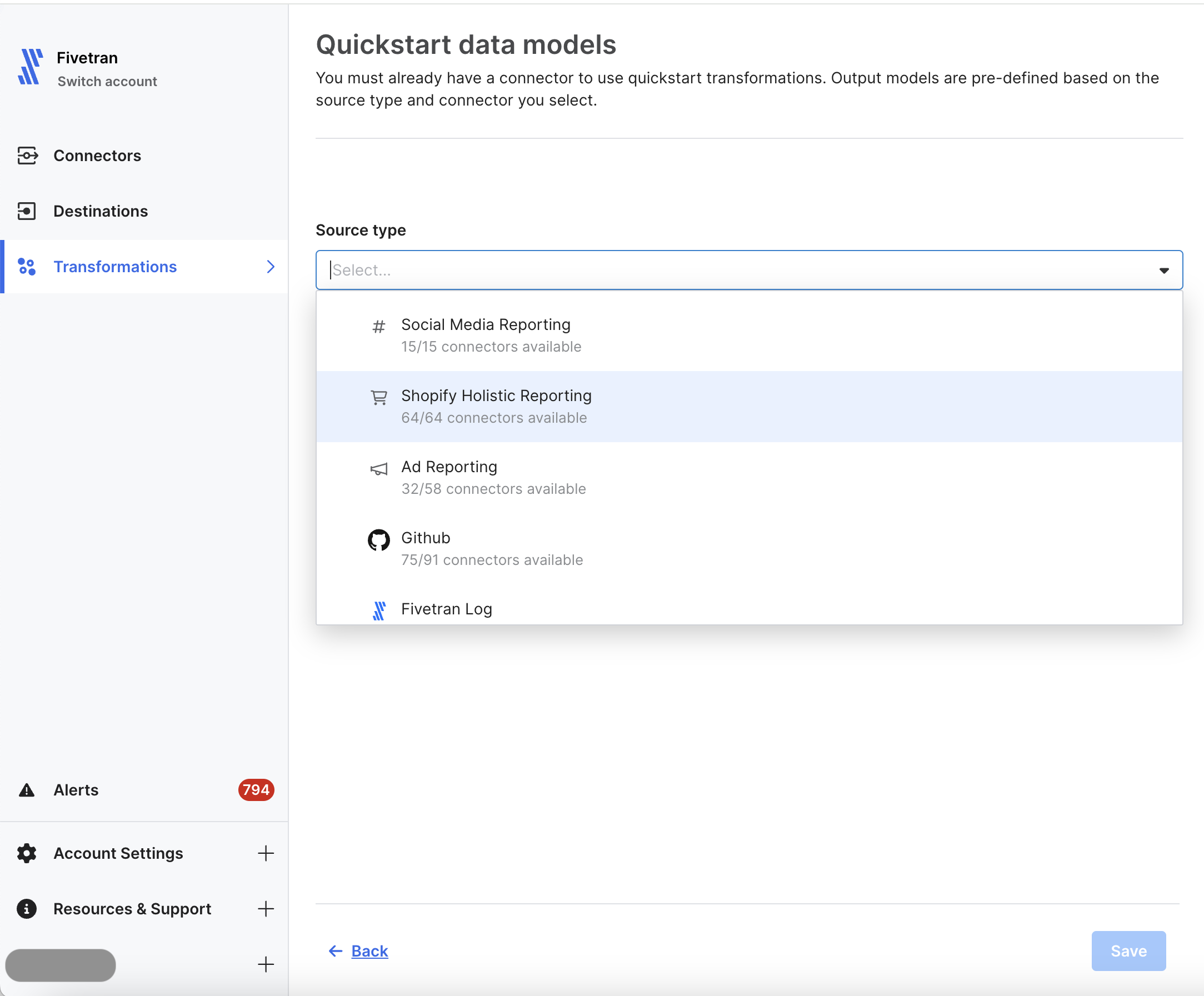
Select the relevant package provided the supported connectors have already been created.
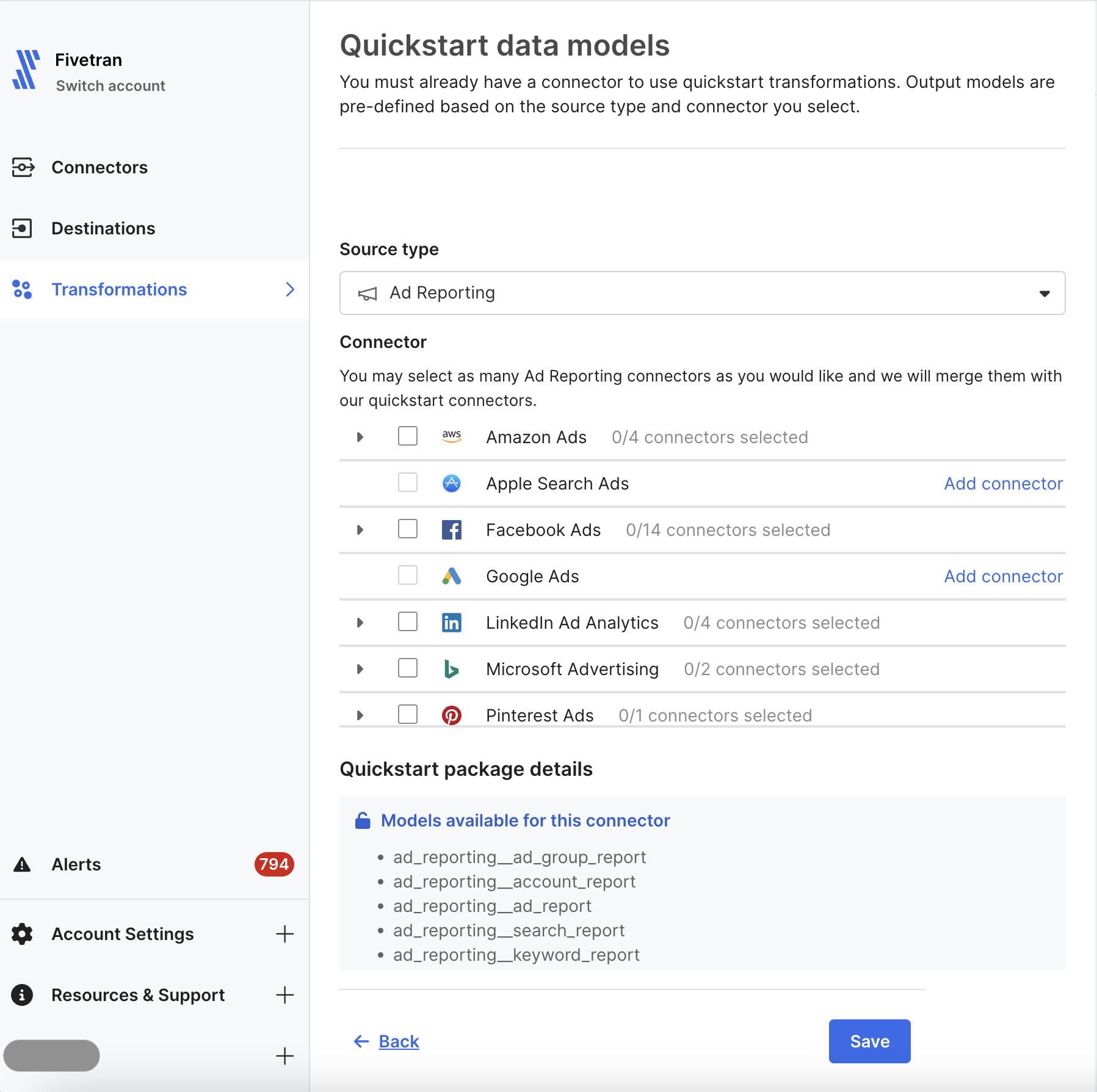
Select the relevant connectors from the list of available connectors.
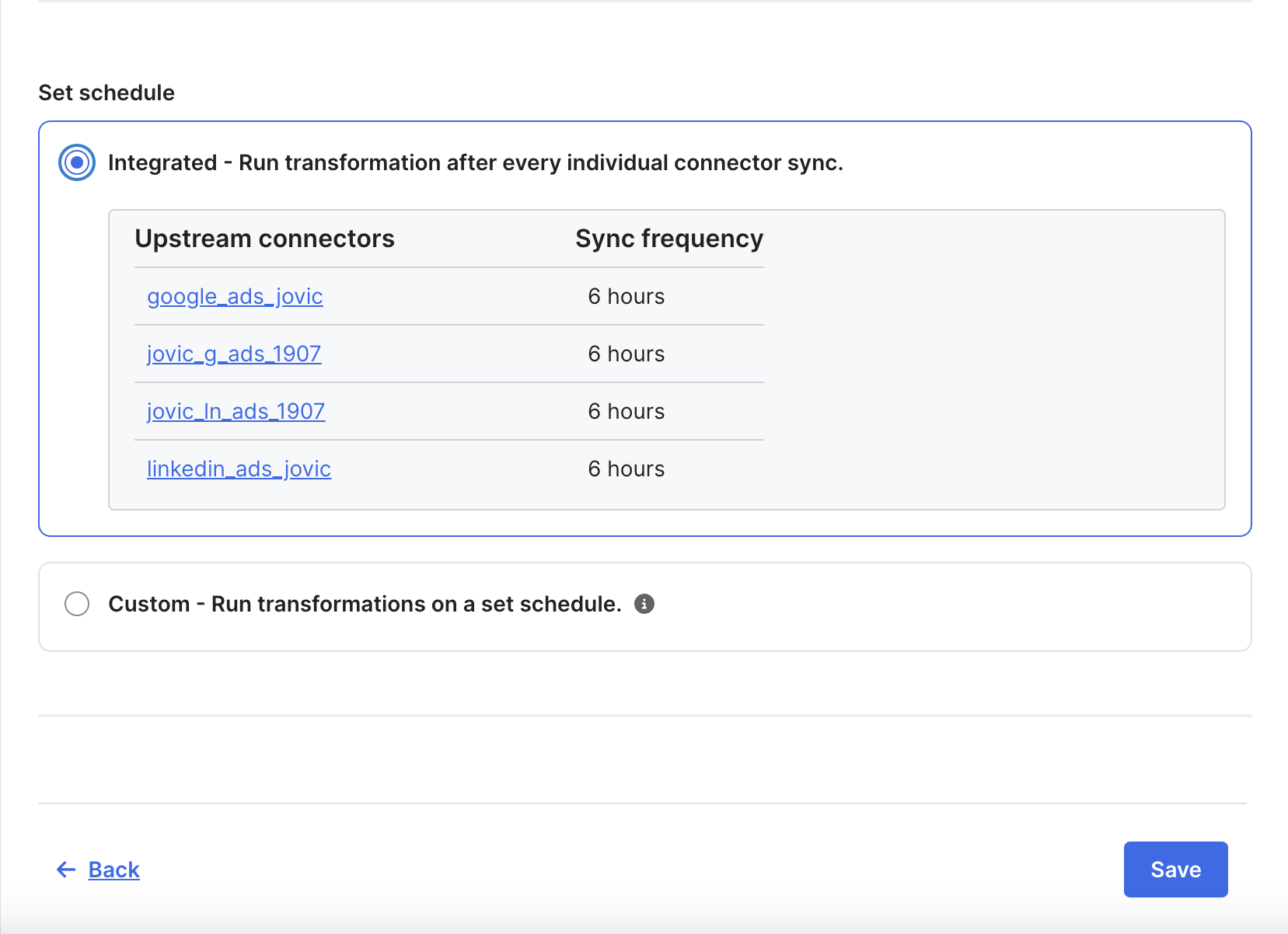
Select the schedule: Integrated or Custom.
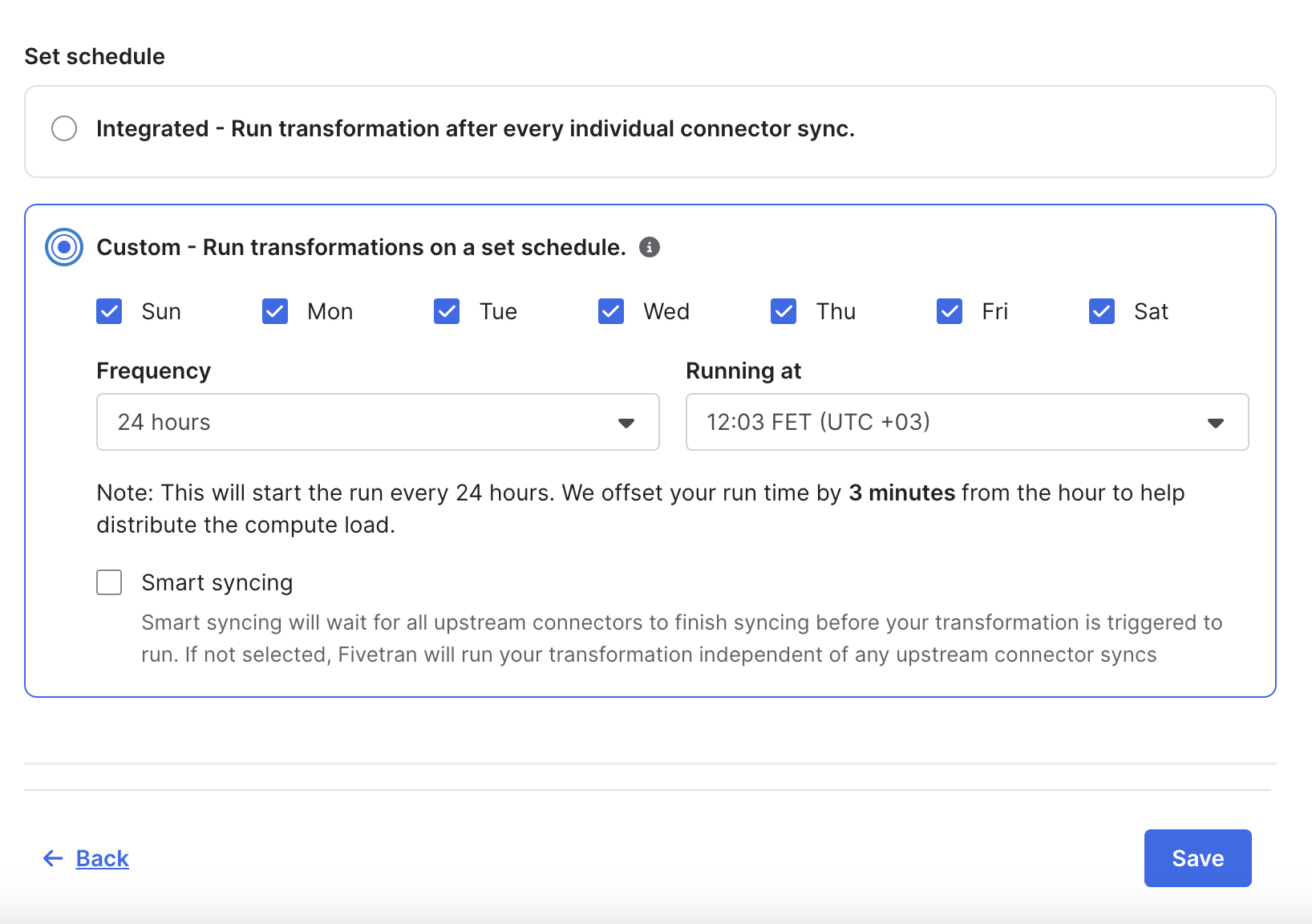
Click Save. The transformation will be created and run by the dbt-runner.
July 2024
We've replaced the "Add transformation" drop-down menu with a dedicated page where you can select the type of the transformation you are adding.
June 2024
Databricks on Azure destinations with OAuth authentication don't support Transformations for dbt Core and Quickstart models.
May 2024
You can now use bulk actions for Transformations, to perform any of the following actions on multiple transformations at once:
- Pause selected transformations
- Resume selected transformations
- Edit schedule of selected transformations
- Remove selected transformations
December 2023
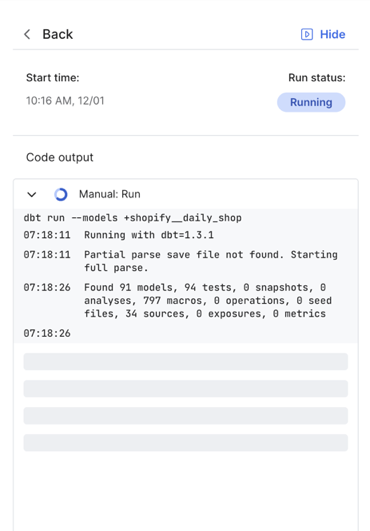
We now log running transformations in real time.
We have updated the Quickstart package for the Iterable connector to version 0.11.0.
November 2023
We have updated the Quickstart packages for the following connectors:
October 2023
We have added new Quickstart packages for the following connectors:
We have updated the Quickstart packages for the following connectors:
- Fivetran Platform Connector to version 1.1.0
- Google Ads to version 0.9.3
- Intercom to version 0.8.0
- Jira to version 0.15.0
- NetSuite SuiteAnalytics to version 0.9.0
- QuickBooks to version 0.12.0
- Zendesk Support to version 0.11.2
September 2023
In order to make dbt run logs easy to read, we have updated the font and added color coding for certain statuses.
We have added new Quickstart packages for the following connectors:
February 2023
Our Quickstart dbt Core - compatible data models are now in Beta.