
Zuora dbt Package
This dbt package transforms data from Fivetran's Zuora connector into analytics-ready tables.
Resources
- Number of materialized models¹: 51
- Connector documentation
- dbt package documentation
- dbt Core™ supported versions
>=1.3.0, <3.0.0
What does this dbt package do?
This package enables you to enhance balance transaction entries with useful fields, create customized churn analysis, and develop monthly recurring revenue insights. It creates enriched models with metrics focused on account activity, subscription management, and billing transaction history.
Output schema
Final output tables are generated in the following target schema:
<your_database>.<connector/schema_name>_zuora
Final output tables
By default, this package materializes the following final tables:
| Table | Description |
|---|---|
| zuora__account_daily_overview | Provides daily account snapshots with invoice counts, amounts, payments, taxes, discounts, refunds, and rolling totals to track account financial health, payment activity, and balance evolution over time. For an example of how this data can be used to evaluate churn at the monthly level, see this analysis query, and see the DECISIONLOG for a more detailed explanation of churn definitions and additonal evaluation grains. Example Analytics Questions:
|
| zuora__account_overview | Consolidates account profiles with comprehensive transaction metrics including invoice counts, amounts, payments, subscriptions, taxes, discounts, refunds, and monthly averages to understand account financial performance and relationships. Example Analytics Questions:
|
| zuora__billing_history | Tracks invoice-level billing history with amounts, payment details, charges, tax, discounts, refunds, credit adjustments, and product/subscription counts to analyze billing patterns, payment status, and revenue recognition timing. Example Analytics Questions:
|
| zuora__line_item_history | Chronicles individual invoice line items with product details, subscription info, charge amounts, discounts, taxes, service periods, and revenue calculations to provide granular visibility into revenue components and product-level billing. Example Analytics Questions:
|
| zuora__monthly_recurring_revenue | Tracks monthly recurring revenue (MRR) and non-MRR by account with gross, discount, and net calculations comparing current to previous month to measure subscription business health, analyze revenue trends, and calculate MRR movement by type. Example Analytics Questions:
|
| zuora__subscription_overview | Provides detailed subscription profiles with activation dates, term lengths, subscription status, auto-renewal settings, charge details including MRR, amendment info, and period calculations to monitor subscription lifecycle and financial contribution. Example Analytics Questions:
|
| zuora__line_item_enhanced | This table is a comprehensive, denormalized analytical table that enables reporting on key revenue, subscription, customer, and product metrics from your billing platform. It's designed to align with the schema of the *__line_item_enhanced table found in Zuora, Recharge, Stripe, Shopify, and Recurly, offering standardized reporting across various billing platforms. To see the kinds of insights this table can generate, explore example visualizations in the Fivetran Billing Model Streamlit App. Visit the app for more details and refer to these docs for how to enable the table, which is disabled by default. |
¹ Each Quickstart transformation job run materializes these models if all components of this data model are enabled. This count includes all staging, intermediate, and final models materialized as view, table, or incremental.
Visualizations
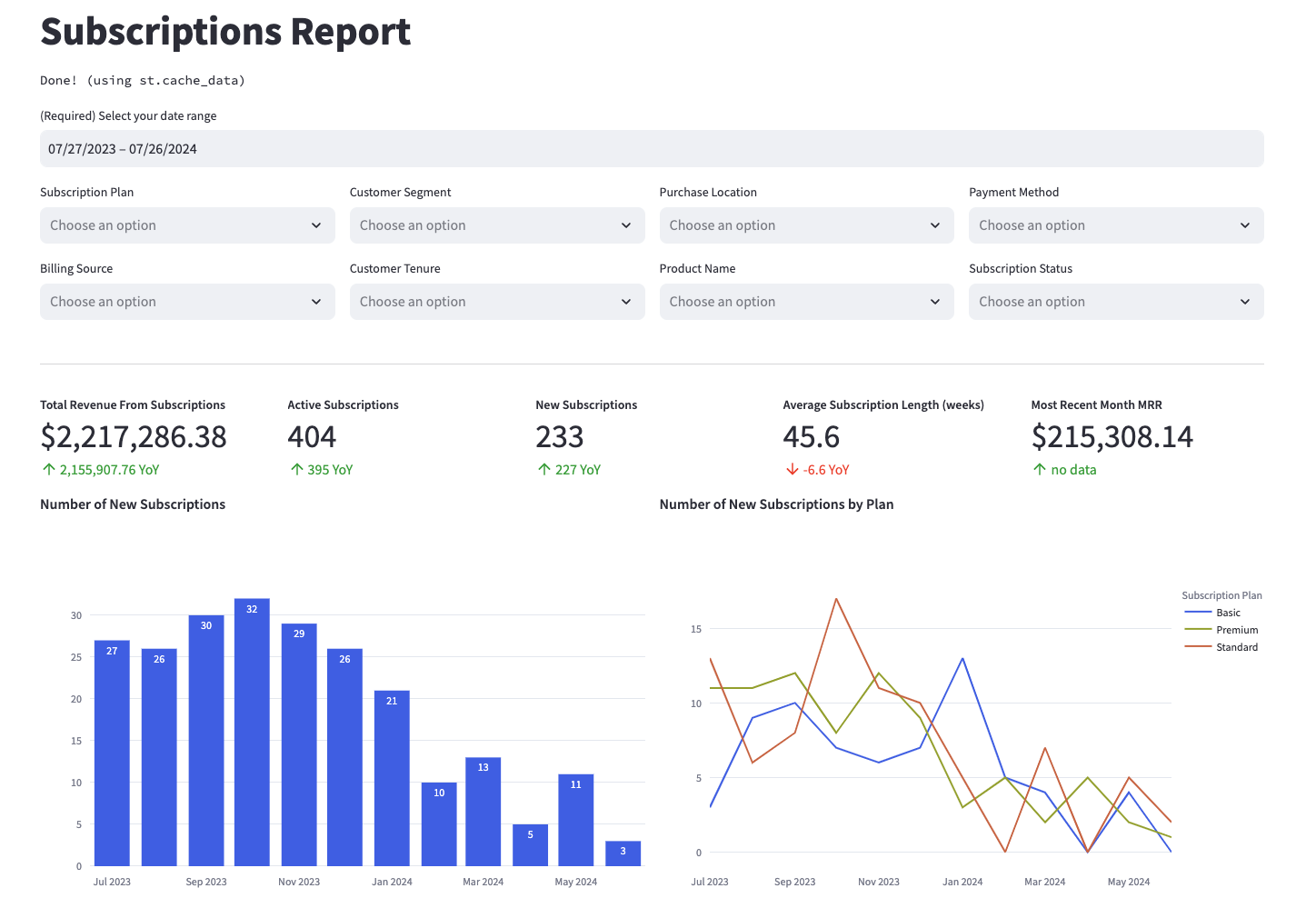
Many of the above reports are now configurable for visualization via Streamlit. Check out some sample reports here.
Prerequisites
To use this dbt package, you must have the following:
- At least one Fivetran Zuora connection syncing data into your destination.
- A BigQuery, Snowflake, Redshift, PostgreSQL, Databricks, or DuckDB destination.
How do I use the dbt package?
You can either add this dbt package in the Fivetran dashboard or import it into your dbt project:
- To add the package in the Fivetran dashboard, follow our Quickstart guide.
- To add the package to your dbt project, follow the setup instructions in the dbt package's README file to use this package.
How is this package maintained and can I contribute?
Package Maintenance
The Fivetran team maintaining this package only maintains the latest version of the package. We highly recommend you stay consistent with the latest version of the package and refer to the CHANGELOG and release notes for more information on changes across versions.
Contributions
A small team of analytics engineers at Fivetran develops these dbt packages. However, the packages are made better by community contributions.
We highly encourage and welcome contributions to this package. Learn how to contribute to a package in dbt's Contributing to an external dbt package article.
Opinionated Modelling Decisions
This dbt package takes several opinionated stances in order to provide the customer several options to better understand key subscription metrics. Those include:
- Evaluating a history of billing transactions, examined at either the invoice or invoice item level
- How to calculate monthly recurring revenue and at which grains to assess it, either looking at it granularly at the charge (invoice item) or account monthly level
- Developing a custom churn analysis that you can find in the analysis folder that's built on the account monthly level, but also giving the customer the ability to look at churn from a subscription or rate plan charge level.
If you would like a deeper explanation of the decisions we made to our models in this dbt package, you may reference the DECISIONLOG.