
Amazon Ads dbt Package
This dbt package transforms data from Fivetran's Amazon Ads connector into analytics-ready tables.
Resources
- Number of materialized models¹: 30
- Connector documentation
- dbt package documentation
- dbt Core™ supported versions
>=1.3.0, <3.0.0
What does this dbt package do?
This package enables you to produce modeled tables that leverage Amazon Ads data, provide insight into your ad performance across multiple grains, and materialize output models designed to work simultaneously with our multi-platform Ad Reporting package. It creates enriched models with metrics focused on account, portfolio, campaign, ad group, ad, keyword, and search term performance.
Output schema
Final output tables are generated in the following target schema:
<your_database>.<connector/schema_name>_amazon_ads
Final output tables
By default, this package materializes the following final tables:
| Table | Description |
|---|---|
amazon_ads__account_report | Represents daily performance aggregated at the account level, including spend, clicks, impressions, and conversions.Example Analytics Questions:
|
amazon_ads__ad_group_report | Represents daily performance at the ad group level, including spend, clicks, impressions, and conversions.Example Analytics Questions:
|
amazon_ads__ad_report | Represents daily performance at the individual ad level, including spend, clicks, impressions, and conversions.Example Analytics Questions:
|
amazon_ads__campaign_report | Represents daily performance aggregated at the campaign level, including spend, clicks, impressions, and conversions.Example Analytics Questions:
|
amazon_ads__keyword_report | Represents daily performance at the keyword level, enriched with account, campaign, ad group, and criterion context. Includes metrics such as spend, clicks, impressions, and conversions.Example Analytics Questions:
|
amazon_ads__portfolio_report | Represents daily performance at the portfolio level, including spend, clicks, impressions, and conversions.Example Analytics Questions:
|
amazon_ads__search_report | Represents daily performance at the search term level, enriched with account, campaign, and ad group context. Includes metrics such as spend, clicks, impressions, and conversions.Example Analytics Questions:
|
¹ Each Quickstart transformation job run materializes these models if all components of this data model are enabled. This count includes all staging, intermediate, and final models materialized as view, table, or incremental.
Visualizations
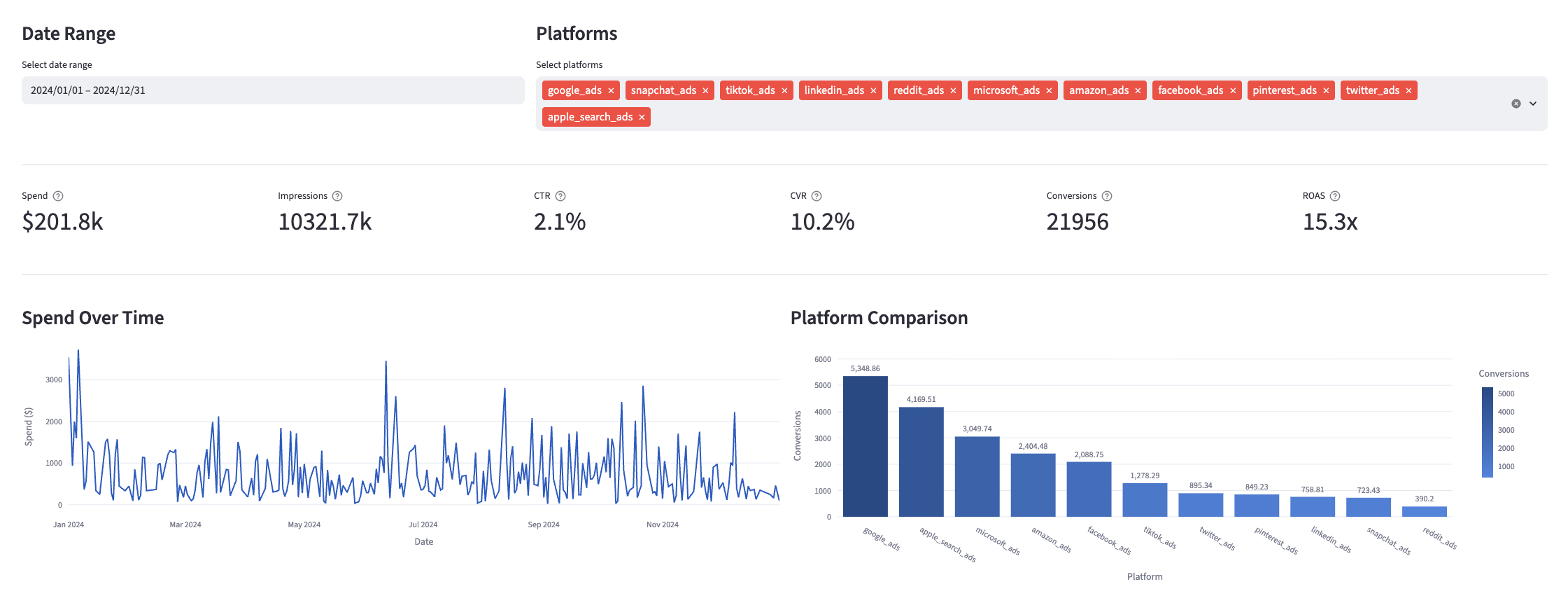
Many of the above reports are now configurable for visualization via Streamlit. Check out some sample reports here.
Prerequisites
To use this dbt package, you must have the following:
- At least one Fivetran Amazon Ads connection syncing data into your destination.
- A BigQuery, Snowflake, Redshift, PostgreSQL, Databricks, or DuckDB destination.
How do I use the dbt package?
You can either add this dbt package in the Fivetran dashboard or import it into your dbt project:
- To add the package in the Fivetran dashboard, follow our Quickstart guide.
- To add the package to your dbt project, follow the setup instructions in the dbt package's README file to use this package.
How is this package maintained and can I contribute?
Package Maintenance
The Fivetran team maintaining this package only maintains the latest version of the package. We highly recommend you stay consistent with the latest version of the package and refer to the CHANGELOG and release notes for more information on changes across versions.
Contributions
A small team of analytics engineers at Fivetran develops these dbt packages. However, the packages are made better by community contributions.
We highly encourage and welcome contributions to this package. Learn how to contribute to a package in dbt's Contributing to an external dbt package article.
Opinionated Decisions
In creating this package, which is meant for a wide range of use cases, we had to take opinionated stances on certain decisions, such as logic choices or column selection. Therefore, we have documented significant choices in the DECISIONLOG.md and will continue to update this as the package evolves. We are always open to and encourage feedback on these choices and the package in general.
Contributors
We thank everyone who has taken the time to contribute. Each PR, bug report, and feature request has made this package better and is truly appreciated.
A special thank you to Seer Interactive, who we closely collaborated with to introduce native conversion support to our Ad packages.