
Zendesk dbt Package
This dbt package transforms data from Fivetran's Zendesk connector into analytics-ready tables.
Resources
- Number of materialized models¹: 82
- Connector documentation
- dbt package documentation
- dbt Core™ supported versions
>=1.3.0, <3.0.0
What does this dbt package do?
This package enables you to better understand the performance of your Support team and analyze ticket velocity over time. It creates enriched models with metrics focused on response times, resolution times, and work times.
Output schema
Final output tables are generated in the following target schema:
<your_database>.<connector/schema_name>_zendesk
Final output tables
By default, this package materializes the following final tables:
| Table | Description |
|---|---|
| zendesk__ticket_metrics | Analyzes support team performance with metrics on reply times, resolution times, and total work times. Supports both calendar and business hours for flexible reporting. Example Analytics Questions:
|
| zendesk__ticket_enriched | Provides complete context for every ticket including assignees, requesters, organizations, groups, and tags to understand relationships and patterns across the support operation. Example Analytics Questions:
|
| zendesk__ticket_summary | A high-level overview providing aggregate statistics about the entire support operation, including total tickets, active users, and key volume metrics. Example Analytics Questions:
|
| zendesk__ticket_backlog | A daily snapshot of all open tickets (excluding closed, deleted, or solved), showing how ticket properties change over time for backlog analysis and trend monitoring. Example Analytics Questions:
|
| zendesk__ticket_field_history | A daily historical record tracking how ticket properties evolve throughout their lifecycle, including status changes, reassignments, and priority updates, along with who made each change. Example Analytics Questions:
|
| zendesk__sla_policies | Tracks SLA compliance and breach metrics for every policy event to help monitor whether tickets meet service level targets in both calendar and business hours. Example Analytics Questions:
|
| zendesk__document | Prepares ticket text content for AI and machine learning applications by segmenting it into optimized chunks for vectorization, sentiment analysis, topic modeling, or automated categorization. Disabled by default. Example Analytics Questions:
|
¹ Each Quickstart transformation job run materializes these models if all components of this data model are enabled. This count includes all staging, intermediate, and final models materialized as view, table, or incremental.
Visualizations
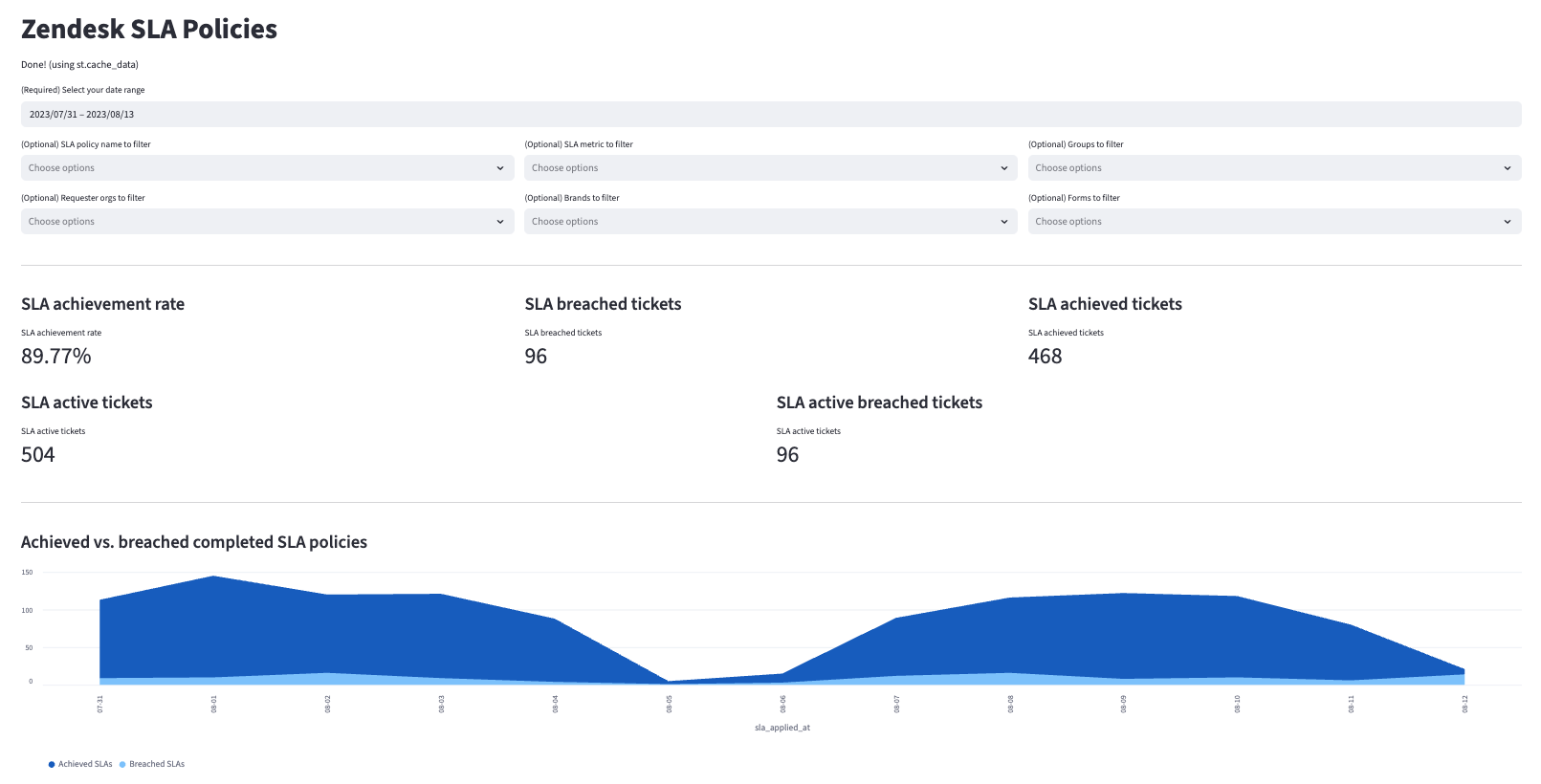
Many of the above reports are now configurable for visualization via Streamlit. Check out some sample reports here.
Prerequisites
To use this dbt package, you must have the following:
- At least one Fivetran Zendesk connection syncing data into your destination.
- A BigQuery, Snowflake, Redshift, PostgreSQL, Databricks, or DuckDB destination.
How do I use the dbt package?
You can either add this dbt package in the Fivetran dashboard or import it into your dbt project:
- To add the package in the Fivetran dashboard, follow our Quickstart guide.
- To add the package to your dbt project, follow the setup instructions in the dbt package's README file to use this package.
How is this package maintained and can I contribute?
Package Maintenance
The Fivetran team maintaining this package only maintains the latest version of the package. We highly recommend you stay consistent with the latest version of the package and refer to the CHANGELOG and release notes for more information on changes across versions.
Contributions
A small team of analytics engineers at Fivetran develops these dbt packages. However, the packages are made better by community contributions.
We highly encourage and welcome contributions to this package. Learn how to contribute to a package in dbt's Contributing to an external dbt package article.
Opinionated Modelling Decisions
This dbt package takes an opinionated stance on how business time metrics are calculated. The dbt package takes all schedules into account when calculating the business time duration. Whereas, the Zendesk Support UI logic takes into account only the latest schedule assigned to the ticket. If you would like a deeper explanation of the logic used by default in the dbt package you may reference the DECISIONLOG.