
How Can I Improve Load Performance for My Snowflake Destination?
Question
How can I improve load performance for my Snowflake destination?
Environment
Destination: Snowflake
Answer
This article applies to Snowflake destinations that use Native tables. For Lakehouse tables, Fivetran doesn't run merge queries in Snowflake. For more information, see Snowflake destination.
The following are some of the causes of slow load performance and how to resolve them:
Queueing or blocking in the virtual warehouse
In Fivetran, go to your connection page.
Select the Settings tab.
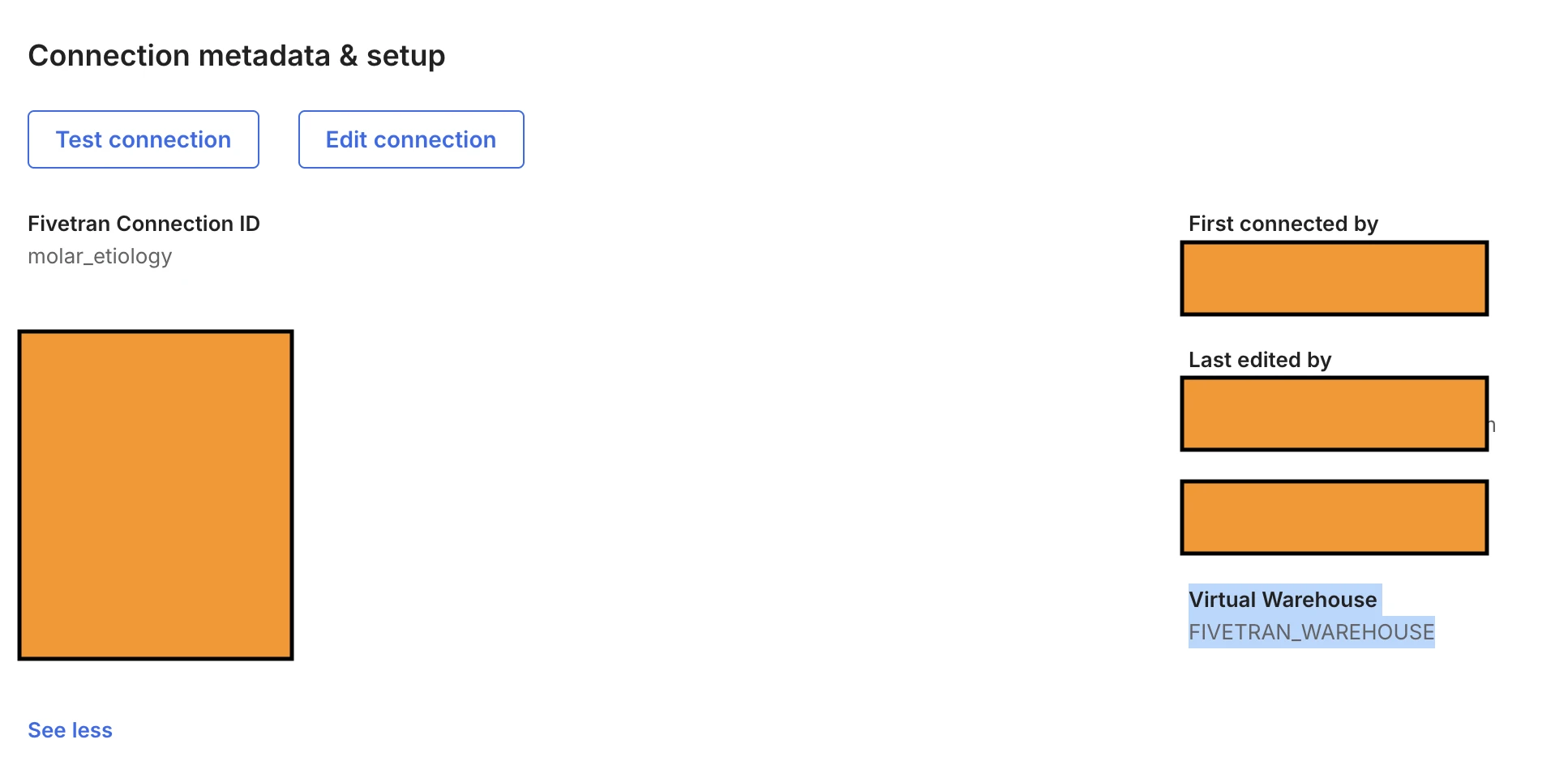
Make a note of the virtual warehouse in the Virtual Warehouse field under Connection metadata & setup.
In Snowsight, go to Compute > Warehouses.
Search for the warehouse you noted in the previous steps.
Check whether the warehouse has queued or blocked statements.
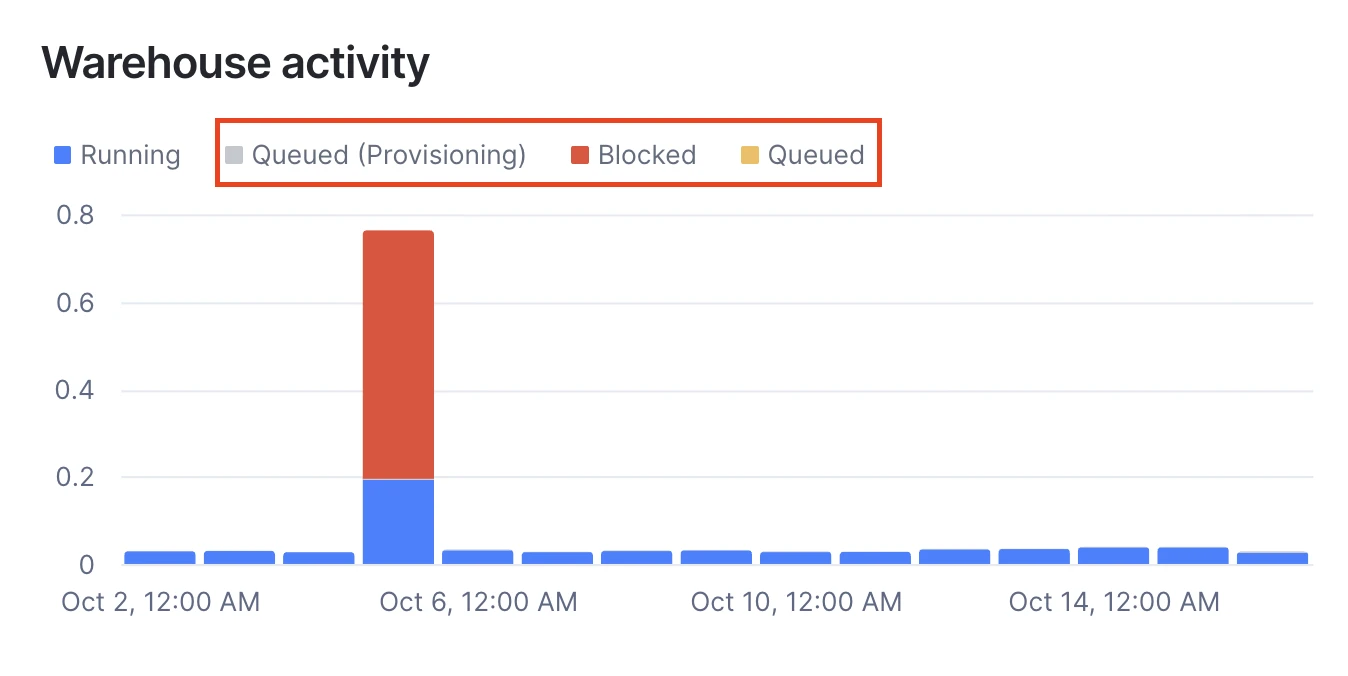
Queued (Provisioning) statements are very unlikely to cause continuous performance issues.
If you see Blocked statements, they are waiting for a concurrent DML statement against the same table to finish. Fivetran doesn't run concurrent statements against a table, so the blocking comes from another workload in your account.
If you see Queued statements, the warehouse can't run all the concurrent statements it receives. Do one of the following:
Increase the number of clusters in the warehouse to scale it horizontally. For more information, see Snowflake's documentation on increasing or decreasing clusters.
Multi-cluster warehouses require Snowflake Enterprise Edition or higher.
If you use Snowflake Standard Edition, create an additional warehouse and distribute your connections across the warehouses. For instructions, see Can I Assign Different Snowflake Warehouses to Individual Connections?.
High micro-partition scan time or rewrite time
DML statements can have high micro-partition scan time or rewrite time when the destination table is large and the incoming data is spread across many micro-partitions.
To improve both scan and rewrite times, use a Gen2 warehouse and enable Query Acceleration Service (QAS) on your warehouse. Together, they provide the following improvements:
- Gen2 warehouse: native software optimizations reduce the time it takes to rewrite micro-partitions and hardware optimizations improve DML statement execution time.
- QAS: parallelizes the micro-partition scan.
QAS requires Snowflake Enterprise Edition or higher.
For more information, see Snowflake's blog post on DML performance in Gen2 warehouses.
To enable Gen2 and QAS on the warehouse you noted in Queueing or blocking in the virtual warehouse, run the following statement. Replace <existing_warehouse> with the name of that warehouse:
ALTER WAREHOUSE <existing_warehouse> SET
  GENERATION = '2'
  ENABLE_QUERY_ACCELERATION = TRUE
  QUERY_ACCELERATION_MAX_SCALE_FACTOR = 8;
If you use Snowflake Standard Edition, enable only Gen2:
ALTER WAREHOUSE <existing_warehouse> SET GENERATION = '2';
Small incremental volume against a large destination table
When a sync loads a small incremental volume of data (up to a few thousand rows) into a large destination table, Snowflake can scan the entire table to run the MERGE statement. This is slow and costly, and it's most noticeable for high-frequency syncs that load small volumes of data.
To reduce the scan time, enable the Search Optimization Service on the destination table. It helps Snowflake locate the affected rows without scanning the whole table.
To enable the Search Optimization Service, run the following statement. Replace <destination_table> with the fully qualified name of your large destination table, and replace <primary_key_1>, <primary_key_2> with all of the table's primary key columns.
ALTER TABLE <destination_table> ADD SEARCH OPTIMIZATION ON EQUALITY(<primary_key_1>, <primary_key_2>);
The Search Optimization Service requires Snowflake Enterprise Edition or higher.
Best practices
- Use a Gen2 warehouse. Gen2 warehouses improve DML performance for most workloads. Compare performance and cost for your workload before and after you switch.
- Don't enable the Search Optimization Service for tables that receive high incremental volumes. When a sync loads a large volume of data, Snowflake may not use the service, but you still pay to maintain it. This is typically the case for low-frequency syncs that load high volumes of data.
- Don't define a clustering key on primary key or unique key columns. These columns have a very high number of distinct values, so keeping the table clustered on them is more costly to maintain than the benefit it provides.
- Try the solutions in this article before increasing the warehouse size. A larger warehouse increases compute cost and may not fix the underlying cause.