
Warehouse-Managed Audiences
Manage audiences programmatically from your data warehouse.
Warehouse-Managed Audiences enable data teams to manage audiences programmatically from the warehouse, while taking full advantage of all the features that come with Audience Hub.
Data Models
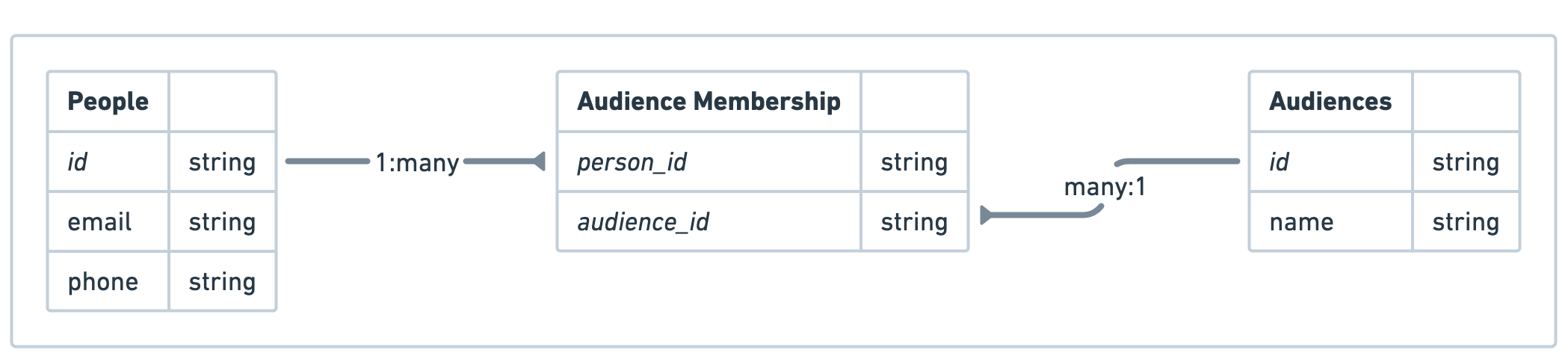
To get started with Warehouse-Managed Audiences, you'll need to define three datasets in Activations that map to tables in your warehouse:
- Audiences: A list of all audiences you plan to model in your warehouse.
- Required columns:
idandname - Optional columns:
description
- Required columns:
- People: Also known as contacts, customers, users, etc., this is a list of all people belonging to every audience you plan to model in your warehouse.
- Required columns:
id - Optional columns: other user attributes (email, phone, first/last name, IDFA, GAID, etc.)
- Required columns:
- Audience Memberships: A join table that tells Activations which people are in each audience. Each row must include a unique pair of person and audience identifiers.
- Required columns:
person_idandaudience_id
- Required columns:
Example Data
Audiences
| id | name | description |
|---|---|---|
| 201 | VIP Customers | A list of all VIP customers. |
| 202 | All Customers (US) | Customers in the US only. |
| 203 | All Customers (EU) | Customers in the EU only. |
| 204 | Webinar Attendees | From webinar on Feb 22. |
People
| id | phone | |
|---|---|---|
| 101 | michaelorr@stanley-dunlap.com | 762-947-7170 |
| 102 | brendasmith@hotmail.com | 619-362-2778 |
| 103 | kevin12@gmail.com | 612-550-3366 |
| 104 | jerryrichardson@young.com | 258-830-6056 |
| 105 | shane87@gmail.com | 505-903-2266 |
Audience Membership (Join Table)
| person_id | audience_id |
|---|---|
| 101 | 201 |
| 101 | 203 |
| 102 | 201 |
| 103 | 204 |
Dataset Definitions
This process should be done with the help of your representative, who can talk through any questions during setup.
Part 1: Datasets
Next, create a dataset for each of the three tables. This will allow you to provide some additional metadata to help Activations understand the shape of your data and how its related.
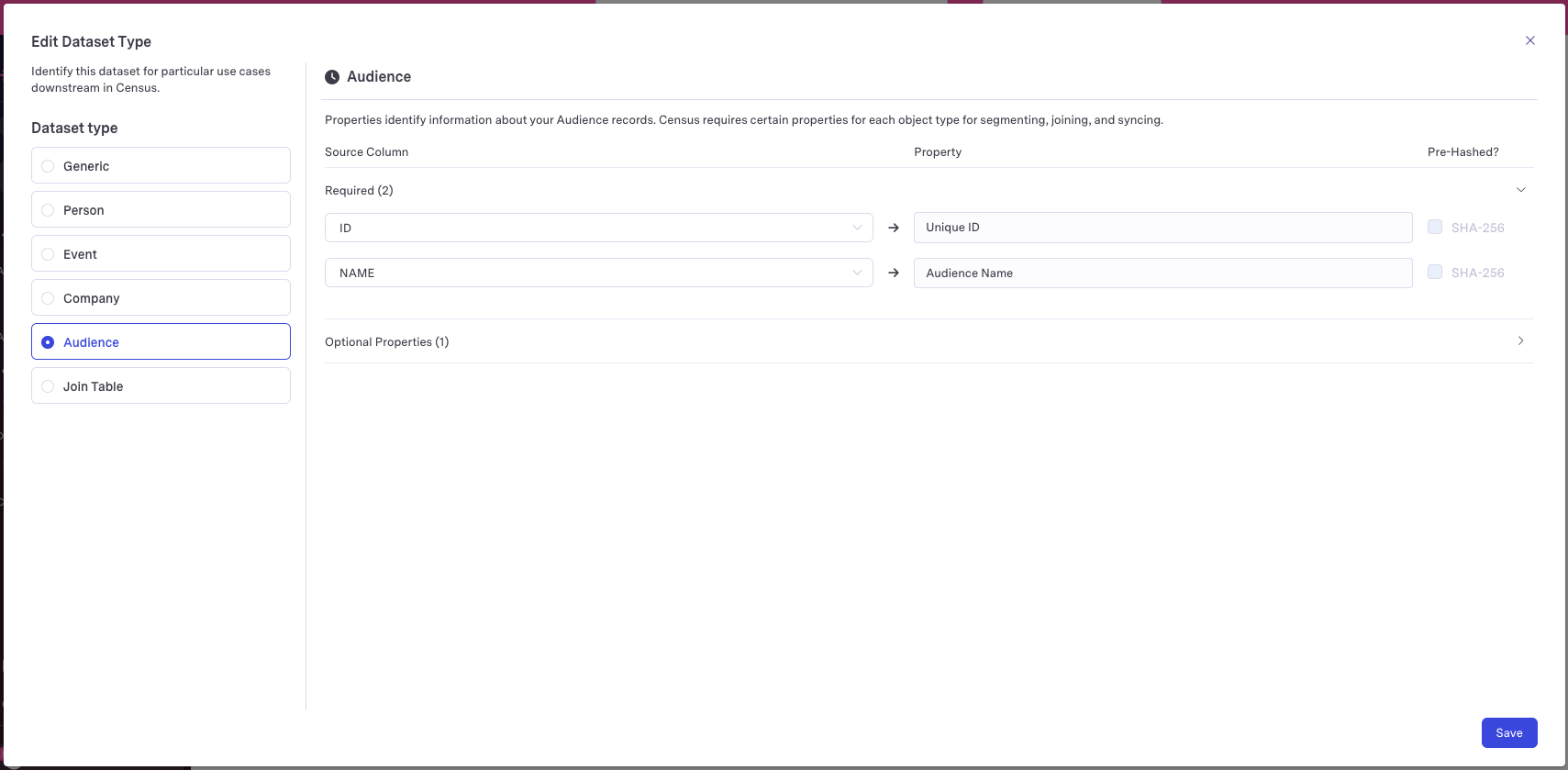
Audiences model -> Create an Audience type dataset:
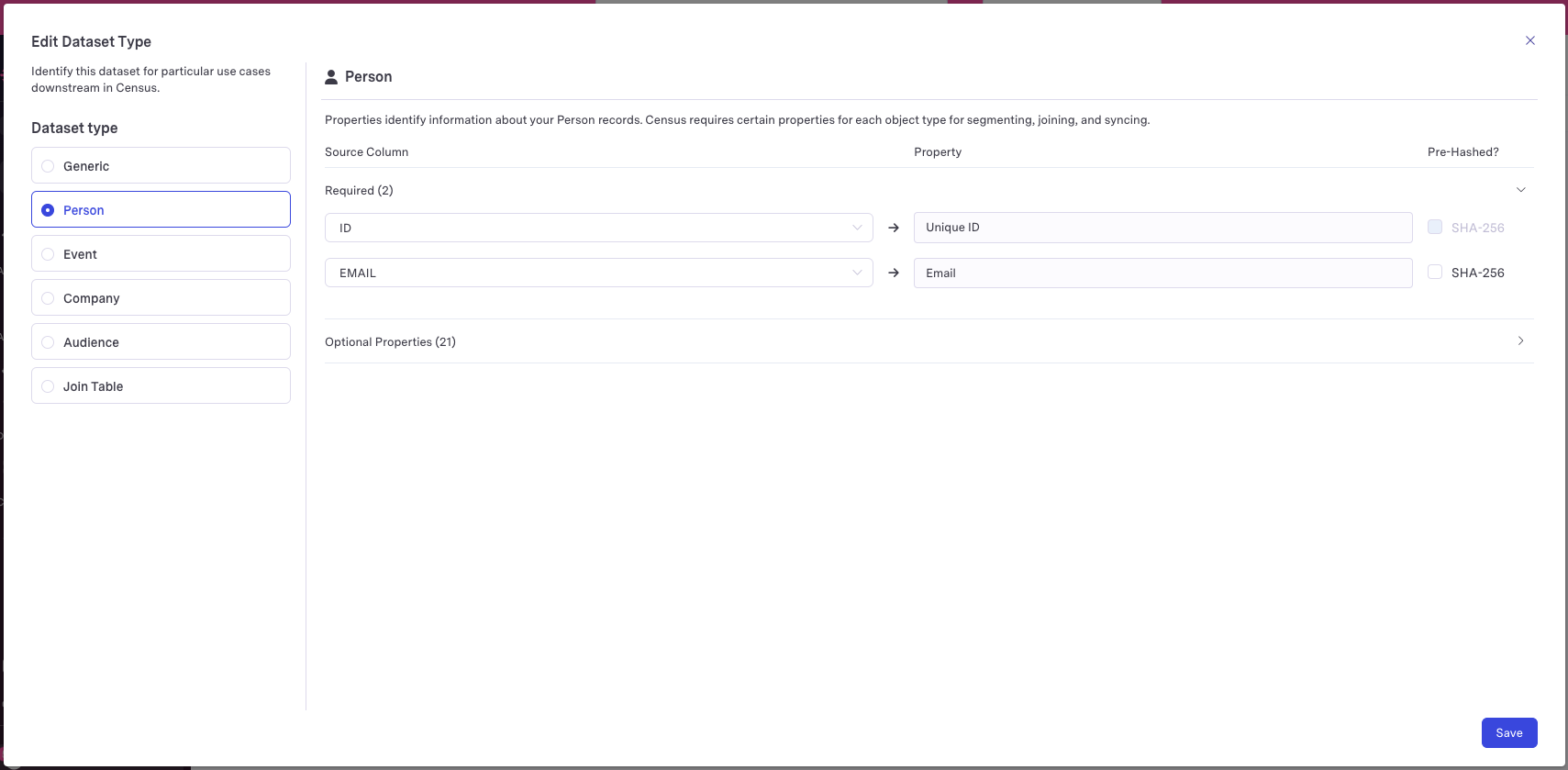
Person model -> Create a Person type dataset:
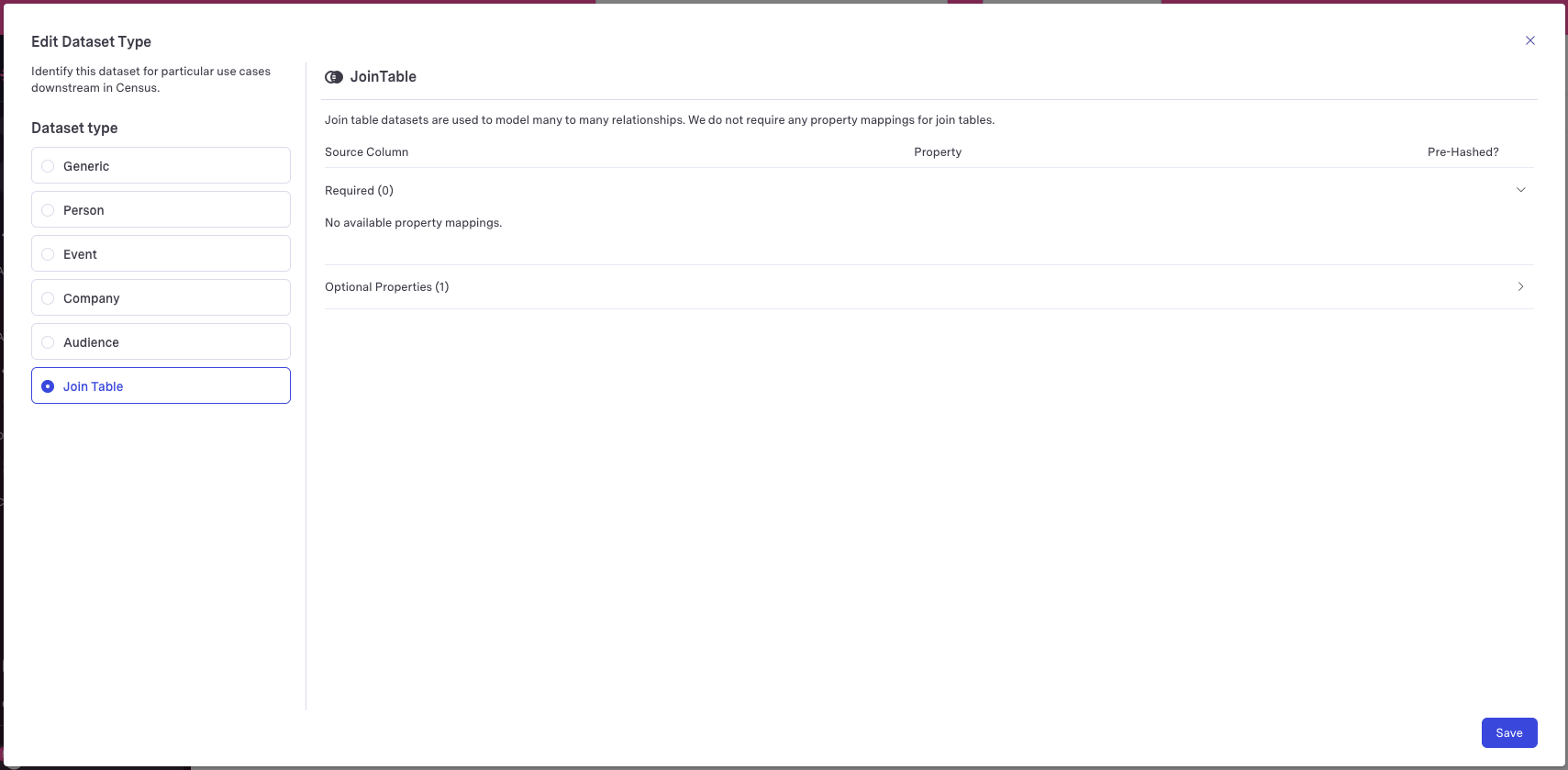
Audience Membership model -> Create a Join Table type dataset:
Part 2: Dataset relationships
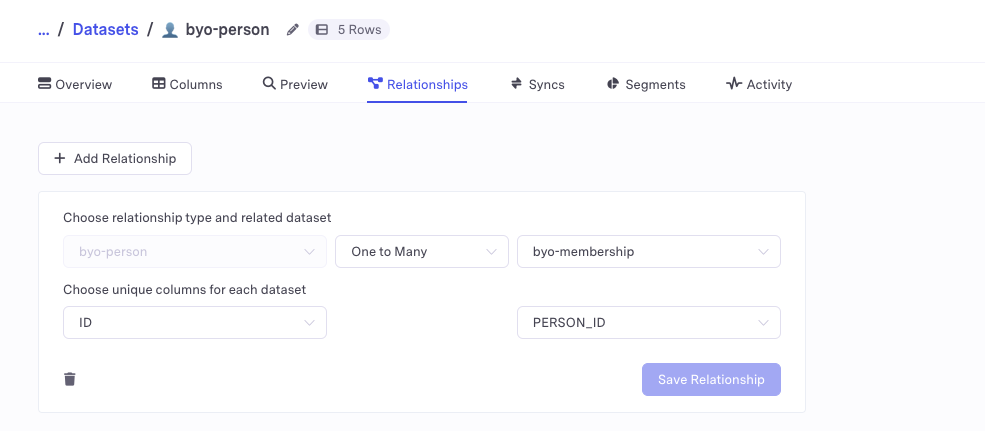
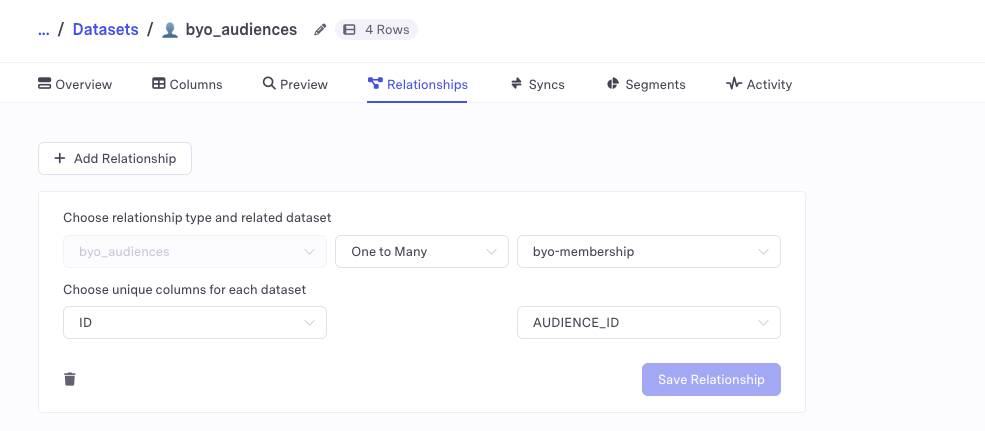
Finally, specify how these datasets relate to each other by setting up relationships between them.
Connect the Person dataset to the Audience Membership dataset with a One-to-Many relationship:
Connect the Audience dataset to the Audience Membership dataset with a One-to-Many relationship:
Finalize Setup
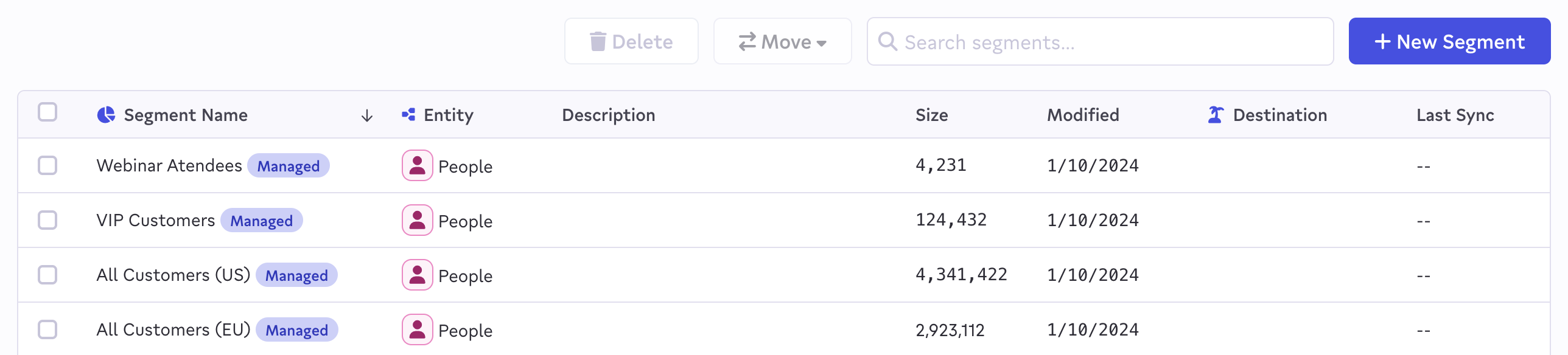
Once your datasets are set up, your representative can finalize your configuration. You should see your imported audience segments populate in Activations. You can distinguish them from audiences defined in the UI based on the "Managed" tag that appears next to the segment name.

FAQ
How do I update the membership of an audience?
Audience membership information lives in the audience membership dataset (join table). Any time a Warehouse-Managed Audience is queried in Activations, we make a just-in-time query to this table. Thus, adding and removing rows from the audience membership dataset will update the membership of an audience.
How often are audiences refreshed by Activations?
To determine the list of Warehouse-Managed Audiences shown in the Activations UI (see below), Activations runs a background job every 15 minutes which looks at your Audiences model and creates/updates/deletes the audiences accordingly.
Activations determines which people are members of those audiences by querying your Audience membership table in real-time. Thus, if you preview a Warehouse-Managed Audience or run a sync based on one, Activations will always be looking at the most current data in the data warehouse.
What happens if a row is added/updated/deleted from my audiences table?
Any changes to the Audiences table will be reflected in the respective audiences during the audience refresh:
- Row was added: A new audience will be created on the next refresh
- Row was updated: The matching audience will be renamed in Activations on the next refresh. This will not impact the name of any audiences in your downstream destinations.
- ⚠️ Row was removed: The matching audience will be marked as invalid on the next refresh. Any related syncs will begin to fail. You will have the option to manually delete the audience in Activations, or re-add the row (if it was removed by mistake).
What happens if I delete my Person/Audience/Join Table dataset?
Any audience segments managed by the Warehouse-Managed Audience feature will no longer be considered valid. Refreshes may not work properly.
What happens if I modify my Person/Audience/Join Table relationships?
Any audiences managed by the Warehouse-Managed Audience feature will no longer be considered valid. Refreshes may not work properly.
Can I delete audiences managed by this feature?
You are not able to manually delete managed audiences through the Activations UI. If you’d like to remove all of your managed audiences and disable this feature, please reach out to a representative.
Can I use <X> feature with Warehouse-Managed Audiences?
Any feature that is available for audiences built in the Activations UI is available for Warehouse-Managed Audiences.
How can I turn off Warehouse-Managed Audiences and opt back out of this feature?
Reach out to your Fivetran account manager or the Support team.