
Service Account API Key Management Private Preview
Service account API keys let you authenticate and interact with the Fivetran REST API programmatically. You can use them to manage users, groups, and connectors in your account. Each API key is linked to a service user and inherits that service user's permissions.
You must have the Account Administrator role or the Security Manage permission to manage service account API keys.
Service users are dedicated accounts for programmatic API access only and cannot log in to the Fivetran dashboard.
Generate API key
To generate a service account API key in your Fivetran dashboard, do the following:
Go to Users & Permissions and select the API Key tab.
Click + Add API key.
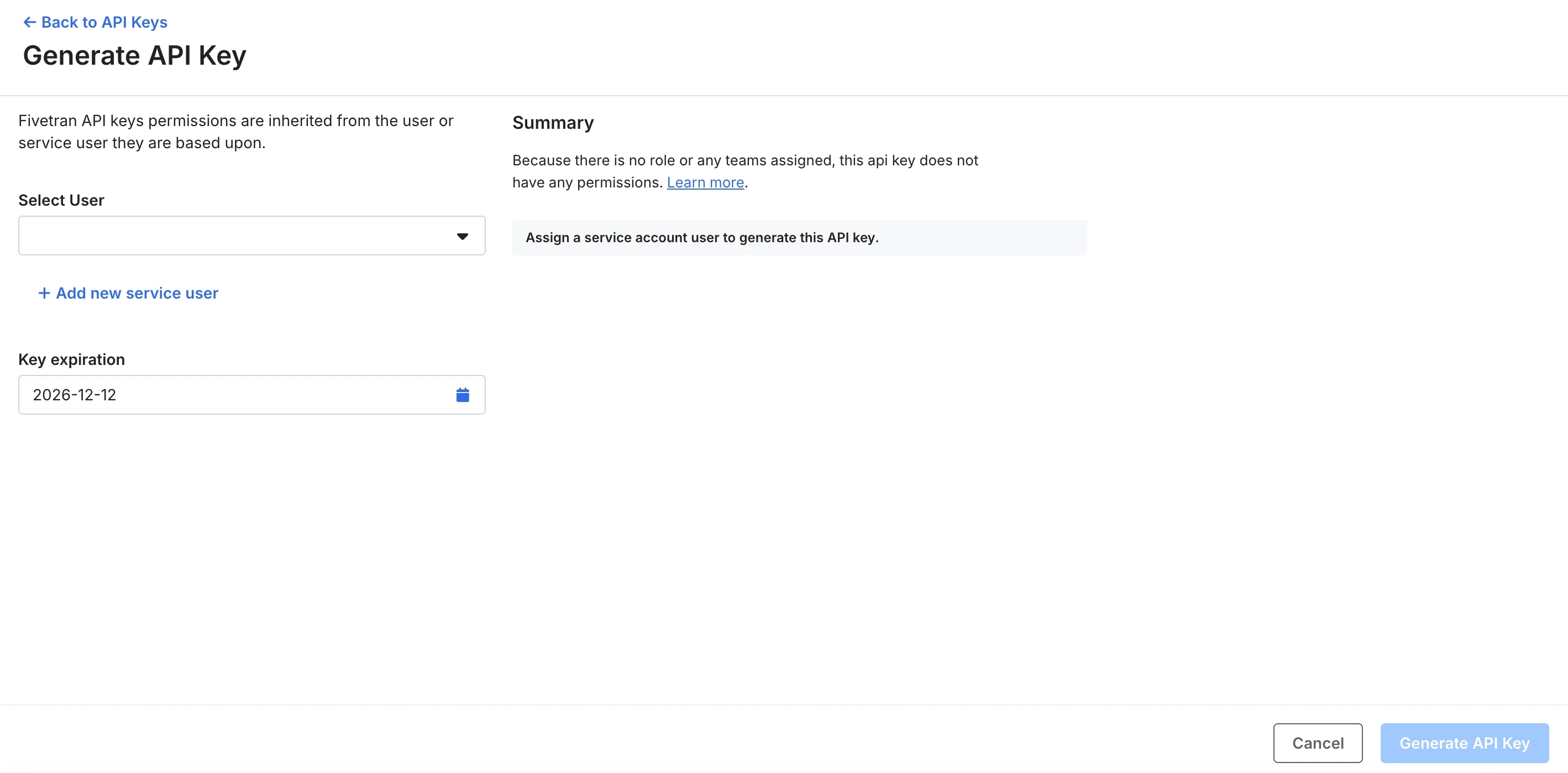
Select a service user from the Select User drop-down menu. The API key inherits this user's permissions. If no service user exists, click + Add new service user to create one.
Set the Key expiration date. The expiration date must be between 1 and 365 days from today.
Review the Summary panel on the right to confirm the permissions the key will have, and click Generate API Key.
The New API Key Secret dialog appears.
Copy the API Key, API Secret, and Base64-encoded API Key and store them securely.
Click Done.
For security reasons, the dashboard won't show the API key, API secret, or Base64-encoded API key again after you reload the page. Make sure you store them safely before you click Done.
Rotate API key
Rotating an API key creates a new key for the service user and gives you a grace period to update your applications before Fivetran deletes the old key.
To rotate a service account API key in your Fivetran dashboard, do the following:
Go to Users & Permissions and select the API Key tab.
Find the key you want to rotate and select Rotate credentials from the Actions drop-down menu.
Optionally, set the Expiration date for the new key. You can set it up to 365 days from today, and the default is 90 days.
Set the Overlap days, the number of days the old key remains active after rotation. You can set 0–30 days, and the default is 30 days. This gives you time to update your applications with the new key.
In the Confirm by typing ROTATE field, type
ROTATE, and click Rotate.The new API Key, API Secret, and Base64-encoded API Key appear. The old key's status changes to Rotating and Fivetran automatically deletes it once the overlap period expires.
Make a note of the new credentials, store them safely, and click Done.
If you need to remove the old key immediately, you can delete it from the API Key table at any time during the overlap period.
Delete API key
You can delete an API key in two ways, with different outcomes for the associated service user:
- Delete only the key - the service user remains and can be assigned a new key later. Use this when you want to revoke API access without removing the service user.
- Delete the service user - this removes both the service user and its key permanently. Use this when the service user is no longer needed. See Delete service user with an API key.
If you are deleting the key for security reasons, consider rotating it instead. Unlike deletion, rotation gives you time to update your applications before Fivetran removes the old key.
To delete only the API key and keep the service user, do the following:
- Go to Users & Permissions and select the API Key tab.
- Find the key you want to delete and select Delete API Key from the Actions drop-down menu.
- Type
DELETEin the confirmation field. - Click Delete Key.
This only removes the API key. The service user remains active and can be assigned a new key at any time.
View and edit permissions
Each API key inherits its permissions from the service user it is linked to. To view or update those permissions, do the following:
- Go to Users & Permissions and select the API Key tab.
- Find the key and select View & Edit permissions from the Actions drop-down menu.
- The service user's profile opens. Edit the account role or team memberships as needed.
For more information about how roles and teams determine what a service user can access, see Role-Based Access Control.
Delete service user with an API key
When you delete a service user that has an associated API key, the API key is also permanently deleted. Any applications or services that depend on that key will stop functioning. Unlike deleting only the key, this action permanently removes the service user from your account as well.
To delete a service user that has an associated API key, do the following:
Go to Users & Permissions and select the Users tab.
Find the service user you want to delete and select Delete from the Actions drop-down menu.
A warning appears: There is an API key associated with this Service User. Any applications or services that are dependent on this key will no longer function if this user and its API key are deleted. Deleting this service account permanently removes it from this account. This action cannot be undone.
Select the Delete the API Key associated with this Service User checkbox and click Delete User.
This action cannot be undone. Both the service user and its associated API key are permanently removed from your account.
API key statuses
A service account API key can be in one of the following states:
| Status | Description |
|---|---|
| Active | The key is valid and can be used to authenticate API requests. |
| Rotating | The key is in its grace period following a rotation. Fivetran deletes it once the overlap period expires. |
| Expired | The key has passed its expiration date and can no longer be used. |