
PAYG Subscriptions on Cloud Marketplaces
Monthly pay-as-you-go (PAYG) lets you subscribe to Fivetran public offers directly through the AWS, Google Cloud, or Azure Marketplace and start syncing data within 24 hours.
The PAYG billing option provides:
- No long-term commitment
- Monthly billing in arrears
- Self-serve activation with no Fivetran Sales involvement
- Availability across all three major cloud providers (AWS, Azure, and Google Cloud)
When you purchase Fivetran through a cloud marketplace, you can only choose the Standard or Enterprise plan.
Prerequisites
Before you subscribe to Fivetran through AWS Marketplace, Google Cloud Marketplace, or Azure Marketplace, make sure the following requirements are met:
- Valid cloud billing account - Your cloud billing account must be active and in good standing.
- Marketplace purchasing enabled - Your organization must allow Marketplace purchases. Many enterprises block them by default.
- Permissions to start subscriptions - You must have purchasing or billing permissions for the cloud billing account, which differ by marketplace:
- AWS - IAM marketplace purchasing permissions
- Google Cloud - Billing Admin role or Billing User with Consumer Procurement Order Admin role
- Azure - Billing Account-level permissions tied to the correct Billing Account ID
- Valid payment method on file - Your billing account must have an accepted payment method, such as a credit card or invoicing eligibility.
How to subscribe to Fivetran through a marketplace
Learn how to subscribe to Fivetran through the AWS Marketplace, Azure Marketplace, or Google Cloud Marketplace and access useful marketplace resources.
AWS Marketplace
Keep the following AWS Marketplace details in mind as you subscribe:
- You must have IAM permissions and admin access to subscribe to AWS Marketplace products, including Fivetran. If your IAM user or role lacks these permissions, your administrator must grant them.
- You can’t start a Fivetran trial through AWS Marketplace. If you want a trial, start it directly through Fivetran.
- We support auto-renewals
To sign up for Fivetran through the AWS Marketplace, follow the steps below:
Log in to your AWS Marketplace account.
Find Fivetran’s public AWS Marketplace listing in one of the following ways:
- Use Fivetran's AWS Marketplace listing
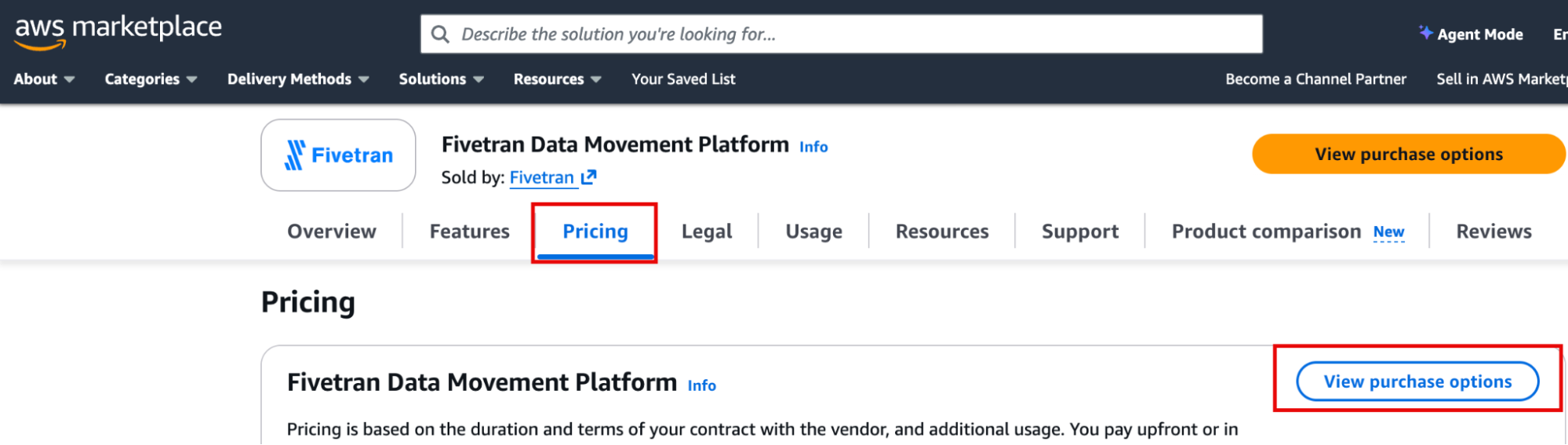
- Go to the AWS Marketplace main page, type Fivetran in the search bar, and click Fivetran Data Movement Platform.
Select Pricing, and when you read the details, click View purchase options. This will take you to the next page.
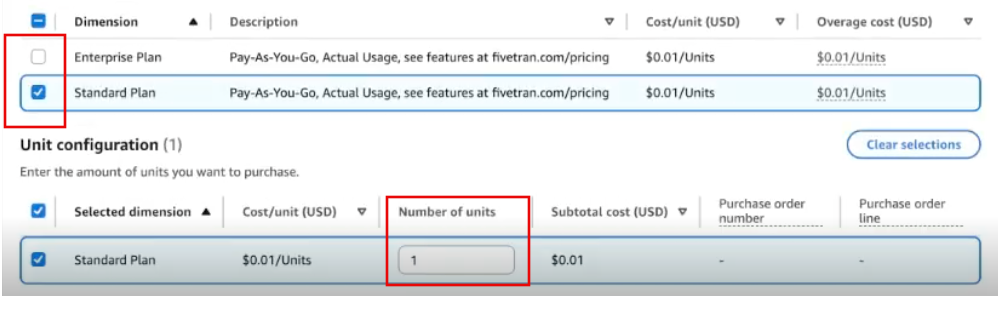
In the new page, choose your preferred option under Auto-renewal.
Choose your desired plan and set the quantity to 1 unit.
Choose the option you want under the Purchase order (PO) number.
(Optional) To download the EULA, scroll down to Terms and conditions and click Download EULA(s).
Review the purchase details and, once ready, click Subscribe in the bottom right corner.
In the newly opened page, click Set up your account.
In the newly opened tab, fill in the form.
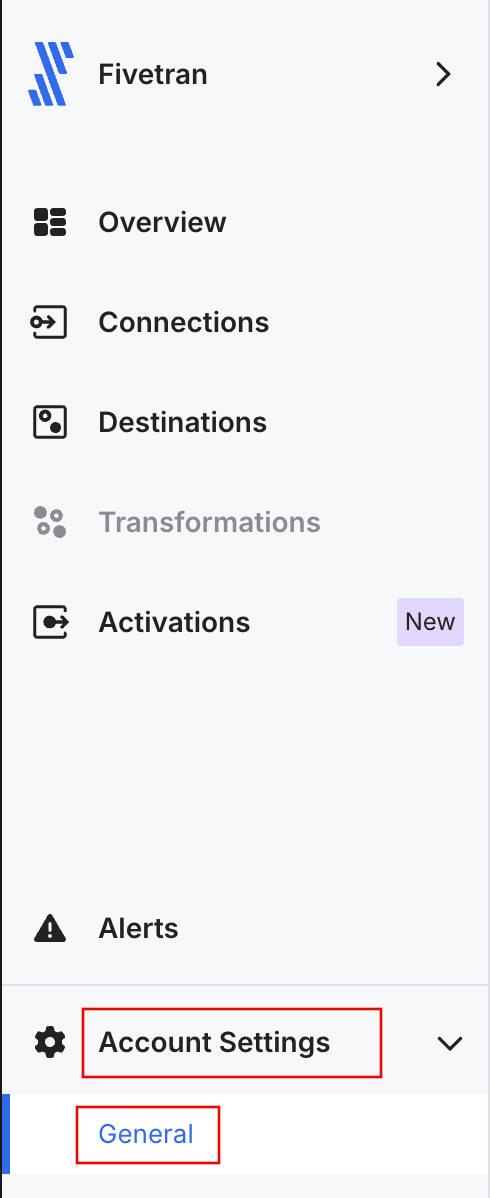
- If you don’t have your Fivetran Account ID, follow the sign-up link provided in the form and sign up.
- Make a note of your Fivetran Account ID after signing up and logging in to the Fivetran dashboard.
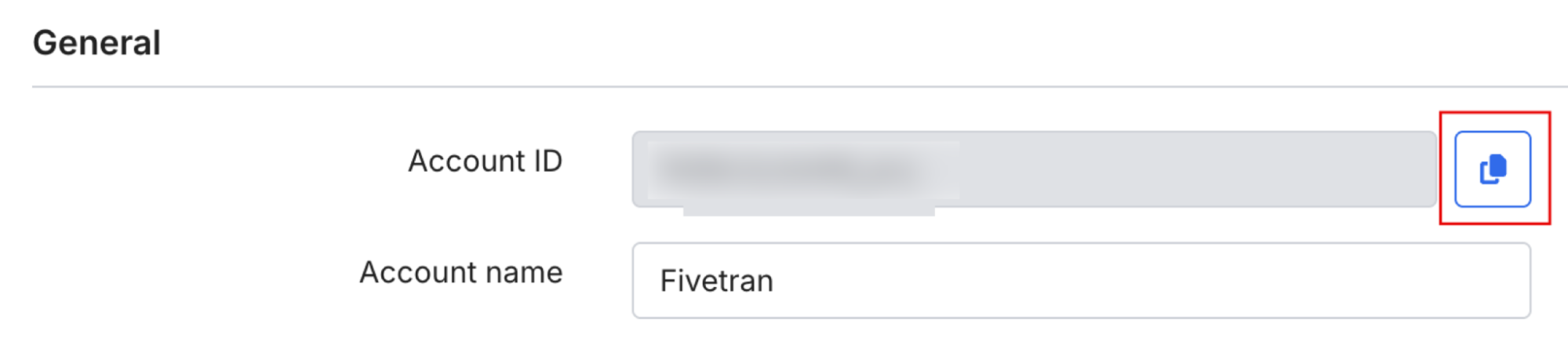
Complete and review the information you provided in the form and click Submit.
What happens once you sign up for Fivetran
Once you sign up for Fivetran:
- You receive a confirmation email.
- Your PAYG subscription becomes active and appears in your Fivetran account within 24 hours following your purchase.
- Your usage appears in the Fivetran dashboard.
- Your billing configuration in Fivetran shows that AWS Marketplace manages billing.
- AWS bills your usage monthly in arrears.
Fivetran automatically generates a self-service invoice for your prior month’s usage, typically within 5 business days after the month end. Because we must manually send your charges to AWS Marketplace, there can be a short lead time before this invoice and the corresponding marketplace charges appear.
AWS Marketplace support & resources
The AWS Marketplace resources listed below may be useful during the subscription process and for learning more about how AWS Marketplace works. They also include ways to contact AWS customer support if you need additional assistance.
Main page & support:
- AWS Marketplace Main Page: Public catalog to browse Marketplace offers.
Purchases and subscriptions are completed in the AWS Management Console. - Getting support for AWS Marketplace: Starting point to open support cases and find AWS support options.
Useful resources:
- Using AWS Marketplace as a buyer
- Paying for products in AWS Marketplace
- Managing subscriptions in AWS Marketplace
Google Cloud Marketplace
Keep the following Google Cloud (GCP) Marketplace details in mind as you subscribe:
- You need either the Billing Admin role or the Billing User role with the Consumer Procurement Order Admin permission. If you do not have these, your admin needs to grant them.
- You can’t start a Fivetran trial through the GCP Marketplace. If you want a trial, start it directly through Fivetran.
- Auto-renewal is supported and is enabled by default. If you don’t want your subscription to be automatically renewed, you need to cancel the subscription before the subscription period expires.
To sign up for Fivetran through the GCP Marketplace, follow the steps below:
Log in to your GCP Marketplace account.
Find Fivetran’s public GCP Marketplace listing in one of the following ways:
- Go to Fivetran's public GCP Marketplace listing.
- Go to the main Google Cloud Marketplace main page, click Explore all solutions, type Fivetran in the search bar, and click Fivetran Data Pipelines.
When you read through the Overview and other sections, click Pricing.
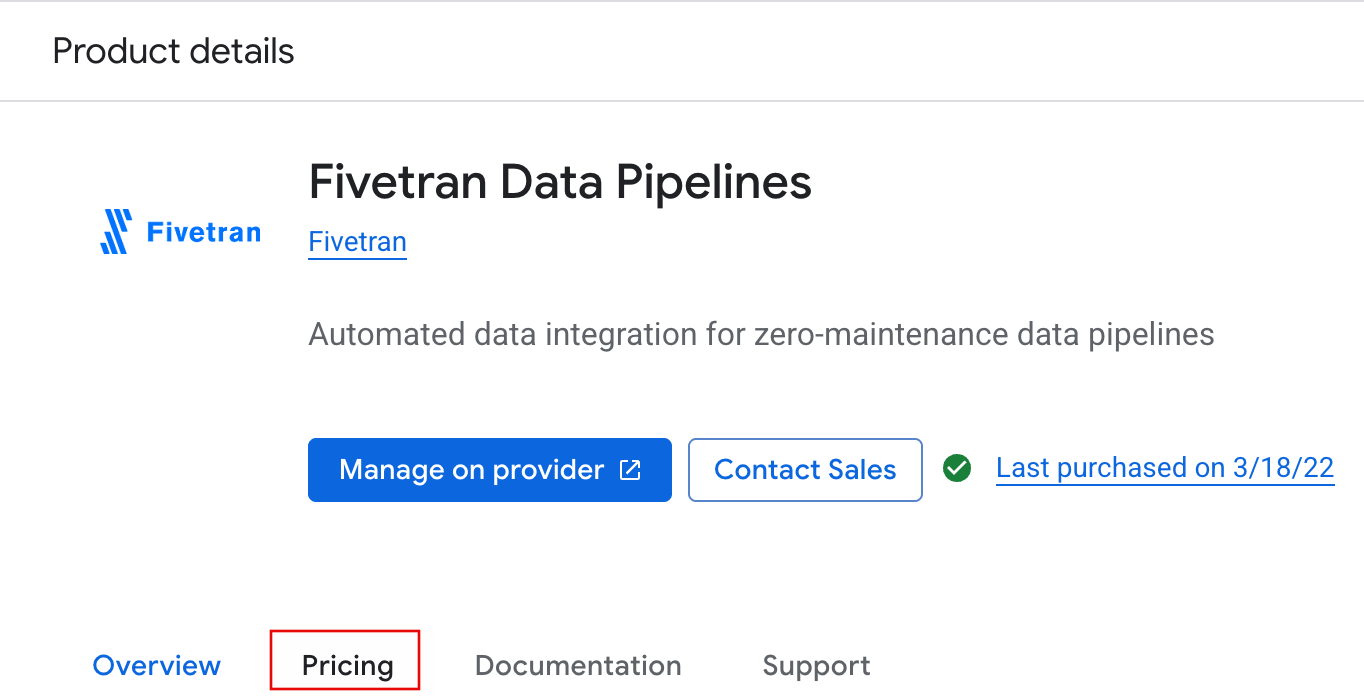
Select the plan that best suits your needs.
Review the subscription details in the newly opened page. You can click Show Pricing Calculator in the upper right corner to get an estimate of your monthly cost.
Under Purchase details, choose the suitable billing account that you’ll use for subscribing to Fivetran.
Accept additional terms and click Subscribe.
In a pop-up window that asks you to start your signup process with Fivetran, click SIGN UP.
In the newly opened tab, fill in the form.
- If you don’t have the Fivetran Account ID, follow the sign-up link provided in the form and sign up.
- Find and copy your Fivetran Account ID after signing up and logging in to Fivetran.
Complete and review the information you provided in the form and click Submit.
What happens once you sign up for Fivetran
Once you sign up for Fivetran:
- You receive a confirmation email.
- Your PAYG subscription becomes active and appears in your Fivetran account within 24 hours following your purchase.
- Your usage appears in the Fivetran dashboard.
- Your billing configuration in Fivetran shows that GCP Marketplace manages billing.
- GCP bills your usage monthly in arrears.
Fivetran automatically generates a self-service invoice for your prior month’s usage, typically within 5 business days after the month end. Because we must manually send your charges to GCP Marketplace, there can be a short lead time before this invoice and the corresponding Marketplace charges appear.
GCP Marketplace support & resources
The following GCP Marketplace resources may be useful during the subscription process and for learning more about how AWS Marketplace works. They also include ways to contact AWS customer support if you need further assistance.
Main page & support:
- Google Cloud Marketplace Main Page: The primary destination to browse, select, and start the procurement journey for solutions on Google Cloud Marketplace, including SaaS.
- Google Cloud Support Hub: The official starting point for Google Cloud customer support, including Marketplace subscriptions.
- Billing Support: The official instructions for contacting Cloud Billing support through the Cloud Console.
Useful resources:
- Get Products from Google Cloud Marketplace
- Manage Billing for Cloud Marketplace Products
- Resolve Cloud Billing Issues
Azure Marketplace
Keep the following Azure Marketplace details in mind as you subscribe:
- Azure Marketplace offers are surfaced through the unified Microsoft Marketplace (marketplace.microsoft.com), but purchases (subscriptions) are still completed as Azure Marketplace transactions.
- Subscription-level permissions are not enough; Azure requires Billing Account-level permissions for purchases.
- You can’t start a Fivetran trial through Azure Marketplace. If you want a trial, start it directly through Fivetran.
- Azure does not support future-dated start dates for Marketplace offers.
- The auto-renew toggle in Azure does not apply to Fivetran subscriptions.
To sign up for Fivetran through the Azure Marketplace, follow the steps below:
Log in to your Azure Marketplace account.
Find Fivetran’s public Azure Marketplace listing in one of the following ways:
- Go to Fivetran's public Azure Marketplace listing
- Go to the Azure Marketplace, type Fivetran in the search bar, and click Fivetran Data Pipelines.
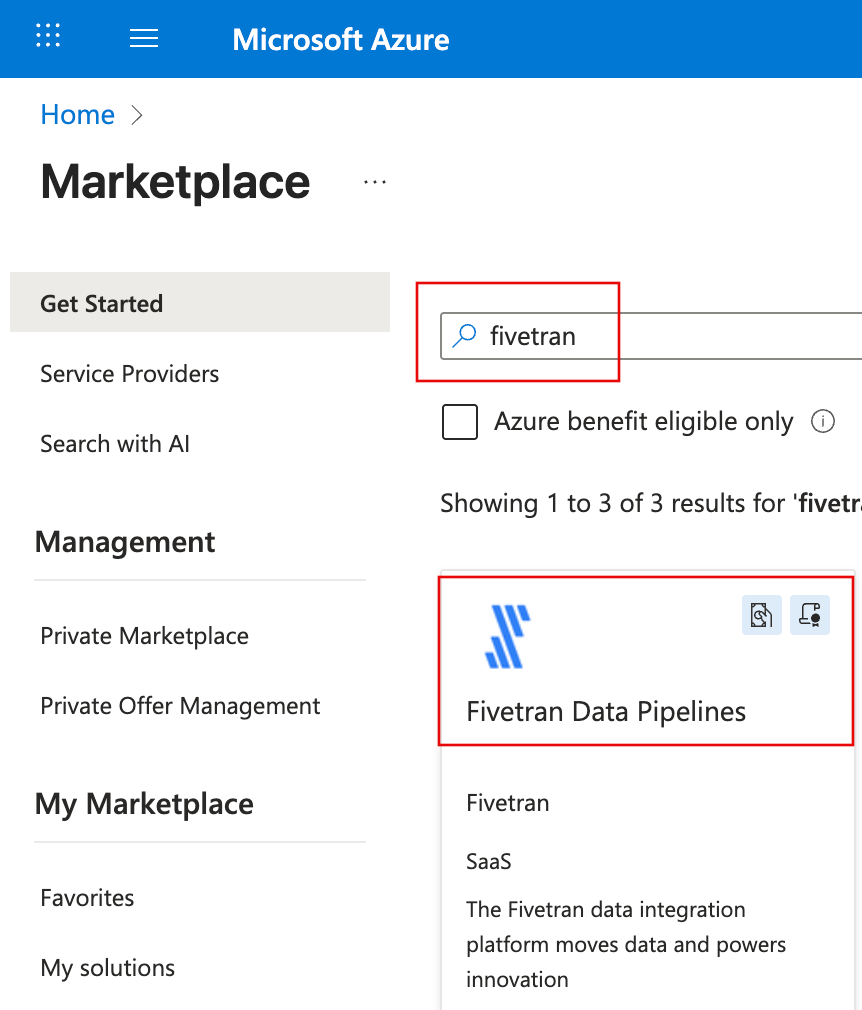
Choose the Azure billing subscription you'll use.
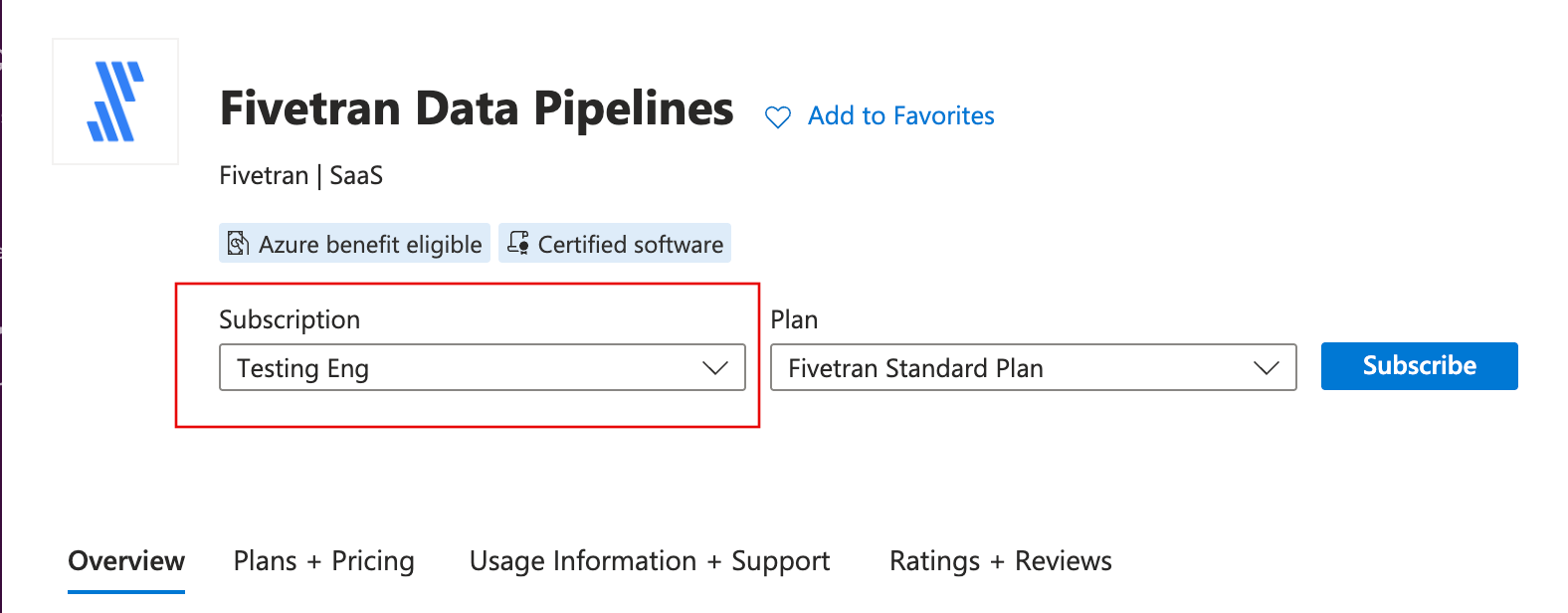
When you read through the Overview and other sections, click Plans + Pricing.
Read the plan descriptions, choose the plan that suits your needs, and click Subscribe under the name of the plan.
In the newly opened page, first handle the following:
- Check that the automatically populated Subscription field is correct. You chose this Azure Billing Subscription on the previous page.
- In the Resource group field, add Fivetran to one of the existing Resource groups or create a new one. Resources in one group share the same lifecycle, permissions, and policies.
- In the Resource Group Location field, select the Azure region for the resource group’s metadata storage. This setting doesn’t control where Fivetran runs; it only applies to the Azure resource group record.
Scroll down and type in a descriptive name for your Fivetran subscription in the Name field.
Review the details of your Fivetran subscription.
Auto-renewal is not possible for Fivetran, regardless of the visible Auto-renew field and toggle.
Click Review + Subscribe.
In the newly opened page, add your organization's primary phone number to the Primary phone number field and click Subscribe.
In the newly opened page, click Configure account now.
In the newly opened tab, fill in the form.
- If you don’t have the Fivetran Account ID, follow the sign-up link provided in the form and sign up.
- Find and copy your Fivetran Account ID after signing up and logging in to Fivetran.
Complete and review the information you provided in the form and click Submit.
What happens once you sign up for Fivetran
Once you sign up for Fivetran:
- You receive a confirmation email.
- Your PAYG subscription becomes active and appears in your Fivetran account within 24 hours following your purchase.
- Your usage appears in the Fivetran dashboard.
- Your billing configuration in Fivetran shows that Azure Marketplace manages billing.
- Azure bills your usage monthly in arrears.
Fivetran automatically generates a self-service invoice for your prior month’s usage, typically within 5 business days after the month end. Because we must manually send your charges to Azure Marketplace, there can be a short lead time before this invoice and the corresponding Marketplace charges appear.
Azure Marketplace support & resources
The following Azure Marketplace resources may be useful during the subscription process and for learning more about how AWS Marketplace works. They also include ways to contact AWS customer support if you need further assistance.
Main page & support:
- Azure Marketplace Main Page: The public Azure Marketplace catalog used to browse and discover solutions, including SaaS offers. Purchases and subscriptions are completed in the Azure portal.
- Create an Azure support request: Official instructions for creating an Azure support request through the Azure portal, including billing, subscription, account, and permission issues.
Useful resources:
FAQs
Why can’t I subscribe through the marketplace?
You may not have the required purchasing or billing roles for your cloud provider. Verify that you have the correct permissions listed in the general requirements section.
What permissions do I need to subscribe?
You need the correct purchasing or billing permissions for your cloud provider:
- AWS - IAM marketplace purchasing permissions
- Google Cloud - Billing Admin role
- Azure - Billing Account Admin
Why are marketplace purchases blocked for my account?
Your organization may have disabled Marketplace purchases. Ask your cloud administrator to confirm whether third-party Marketplace purchases are allowed.
Why is my payment method being rejected?
Your billing account may not have a valid credit card or invoicing setup. Update the payment method in your cloud provider’s billing console.
Can I switch from PAYG to a private offer later?
Yes. You can move from PAYG to a private offer at any time through your Fivetran account team. You must accept the private offer through your cloud marketplace for the billing transition to occur.
Can I start a free trial through the marketplace?
No. None of the cloud marketplaces support starting a Fivetran trial. If you need a trial, start it directly through Fivetran.
Can I transfer billing between marketplaces?
No. You must cancel your existing subscription and subscribe again through a different marketplace.
Can I use Cloud Commits or credits to pay for Fivetran?
Yes. Marketplace usage generally applies toward AWS EDP, Google Cloud CUDs, or Azure MACC, depending on your agreement with your cloud provider.
How am I billed for PAYG?
You are billed monthly in arrears on your cloud provider invoice. We don’t invoice you directly for PAYG.
Where do I see my usage and charges?
Your usage appears in the Fivetran dashboard. Your charges appear in your cloud provider’s billing console.
Can I cancel a marketplace subscription?
Yes. You can cancel your subscription in your cloud provider’s Marketplace console. Billing stops at the end of the billing period unless your Fivetran account is linked to another active billing method.